Smart tests
No Apex changed? No Apex tests, even into production. Changed Apex runs only the tests that cover it, with a safe fallback when production coverage needs it.
How smart tests workSalesforce DevOps without the wait
Compare orgs and git, ship exactly the changes you pick, run only the tests that matter, and roll back in one click. Hosted, or in your own cloud.
Try it with simulated orgs first: no Salesforce connection needed.
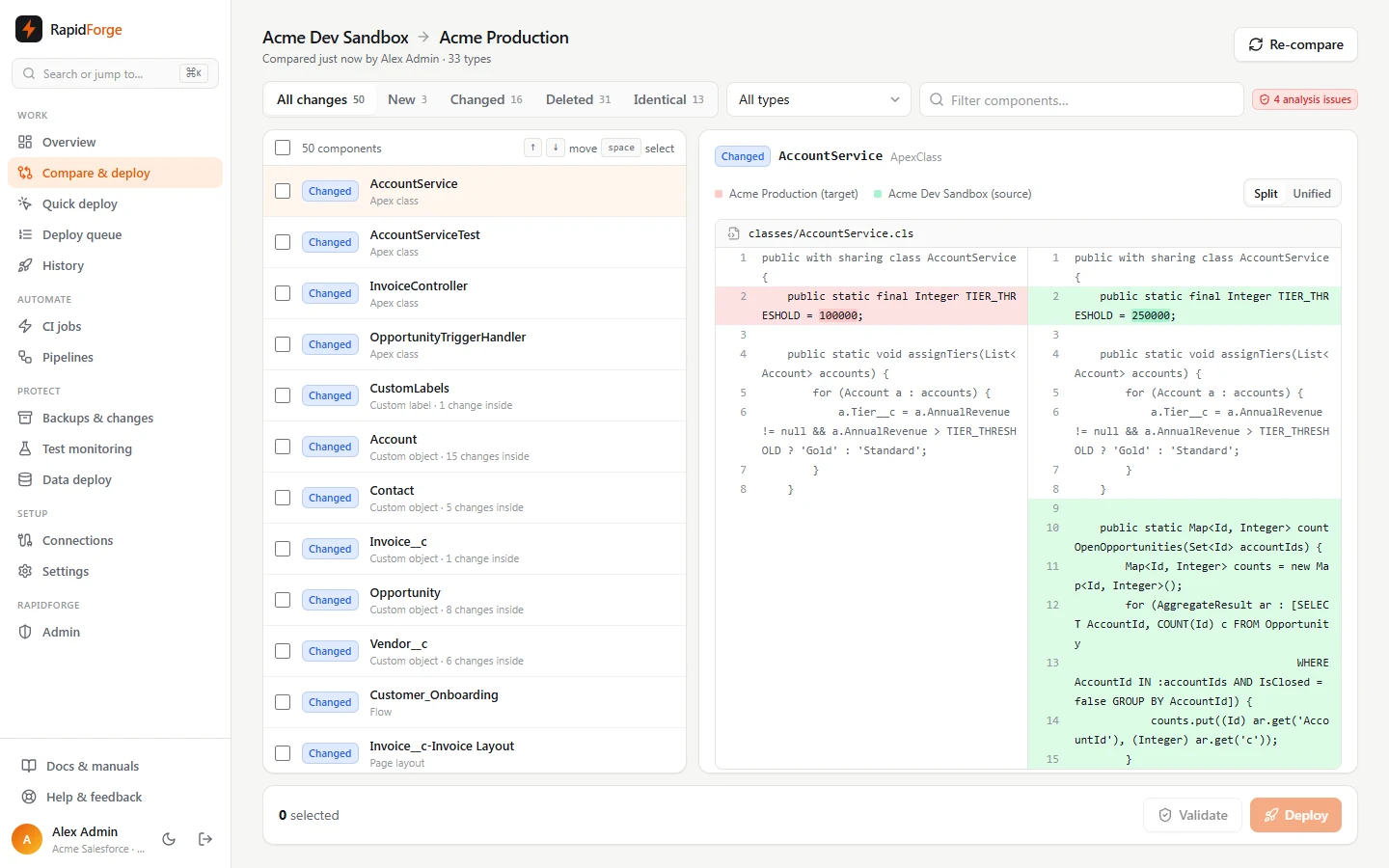
No Apex changed? No Apex tests, even into production. Changed Apex runs only the tests that cover it, with a safe fallback when production coverage needs it.
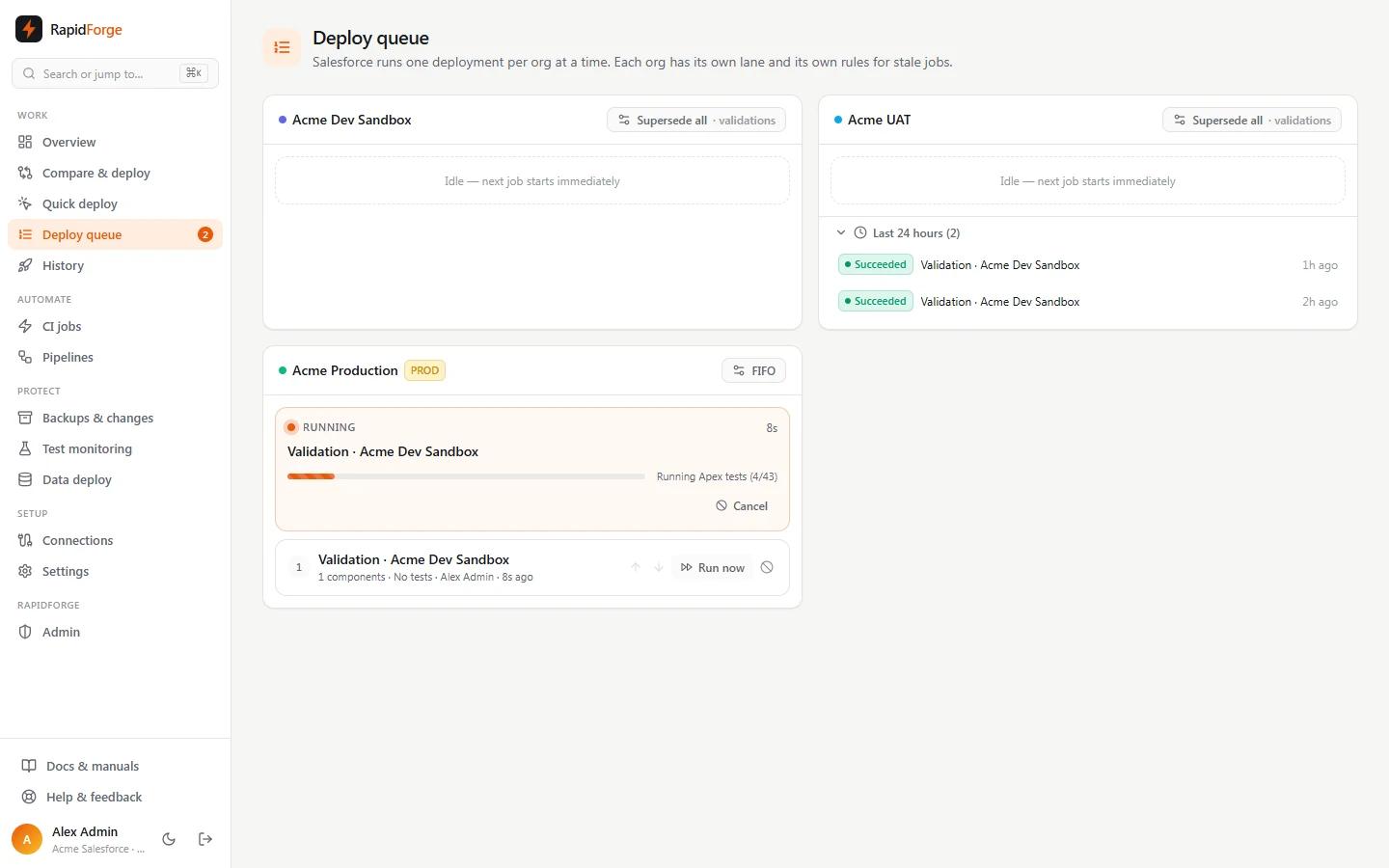
How smart tests workEvery org has its own deployment queue. Three pushes in a row? Choose whether stale jobs are skipped or the newest cancels the rest and starts at once.
How latest push wins worksMissing dependencies, deleted fields still on layouts, profile entries for things the target lacks: fixed in the package before Salesforce sees it, each with a reason and an Undo.
How smart fixes workOne place for metadata, data, tests and monitoring, with the access controls your security team asks for.
Org to org, git to org, org to git. Side-by-side diffs down to single fields, profile entries and layout sections.
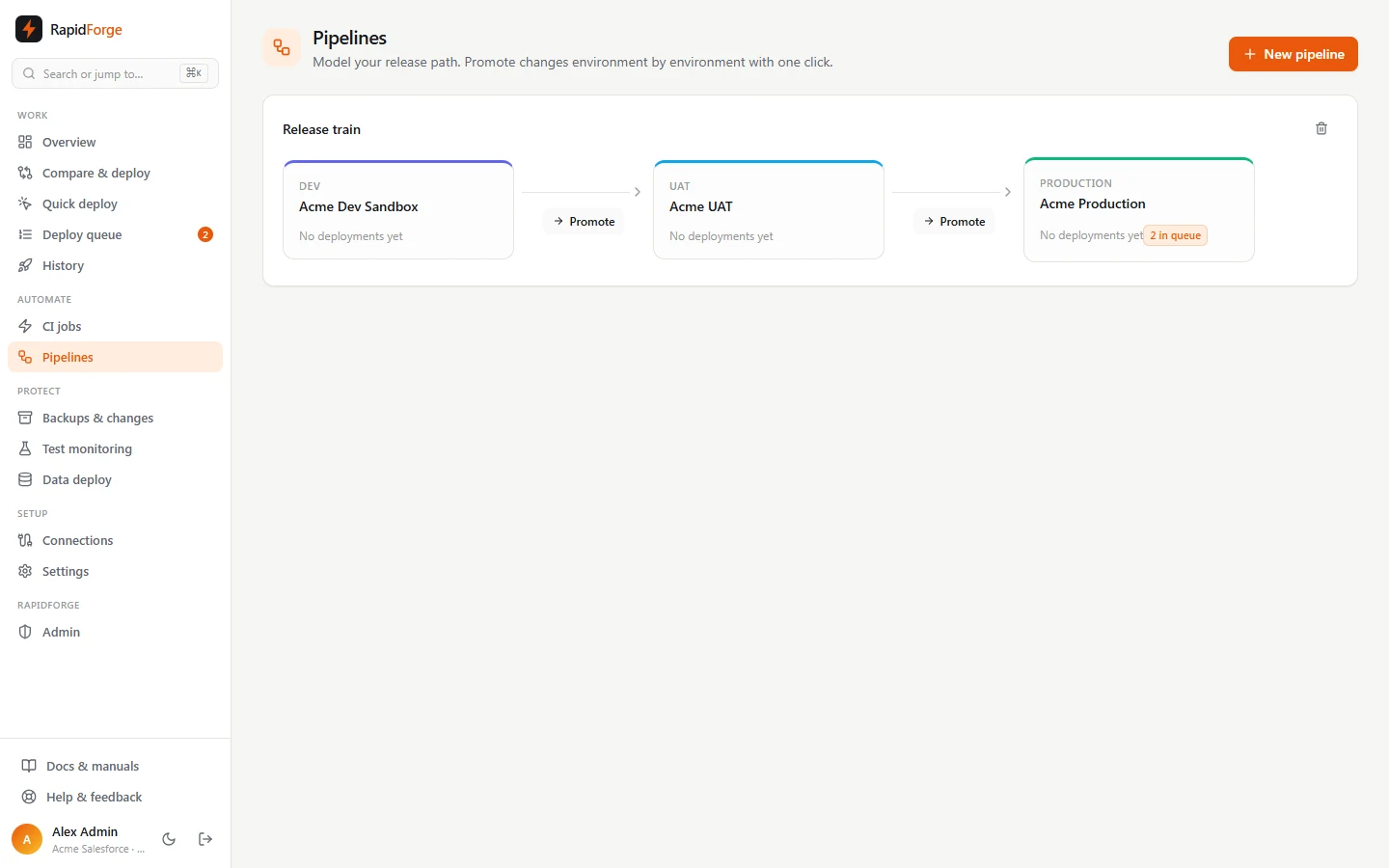
Validate pull requests with status checks, deploy on merge, and promote Dev → UAT → Production with environment branches.
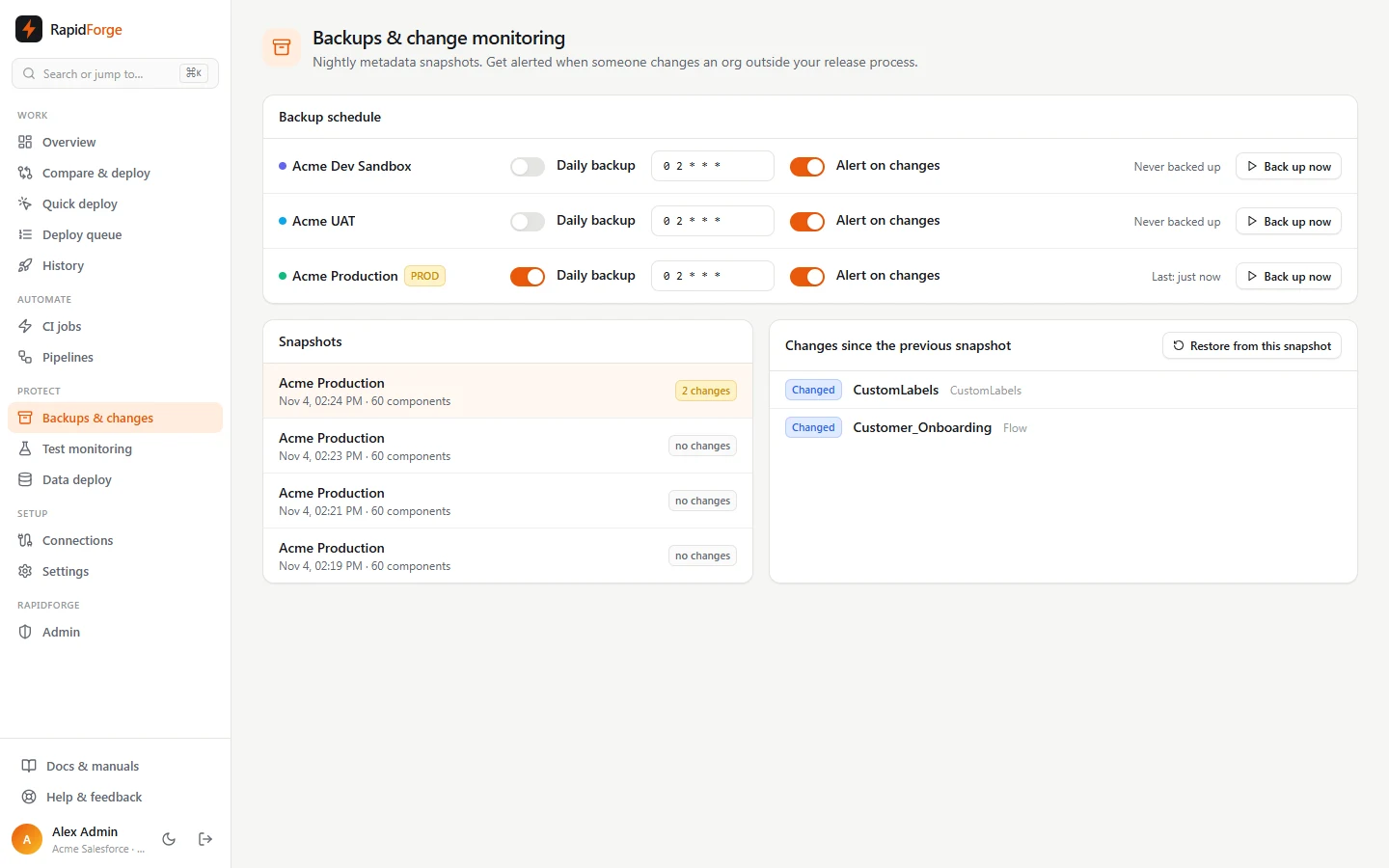
Automatic snapshots before every deployment, one-click rollback, scheduled metadata and record backups with change alerts.
Seed related records across objects with masking, archive old data, and handle right-to-erasure requests across every backup.
Scheduled Apex test runs with coverage trends, scriptless UI tests, flow and Apex error monitoring, and org limit alerts.
SAML single sign-on, SCIM provisioning, IP allowlists, per-org access, approvals, and per-workspace encryption keys.
Personal access tokens, a CLI for any CI system, and CSV or JSON exports of deployments, test runs and the audit log.
Explain a change, draft release notes, or get a suggested fix for a failed deployment. Off unless your workspace turns it on.
OmniStudio and Vlocity DataPacks, CPQ data, Data Cloud metadata, and Marketing Cloud snapshots and business-unit compare.
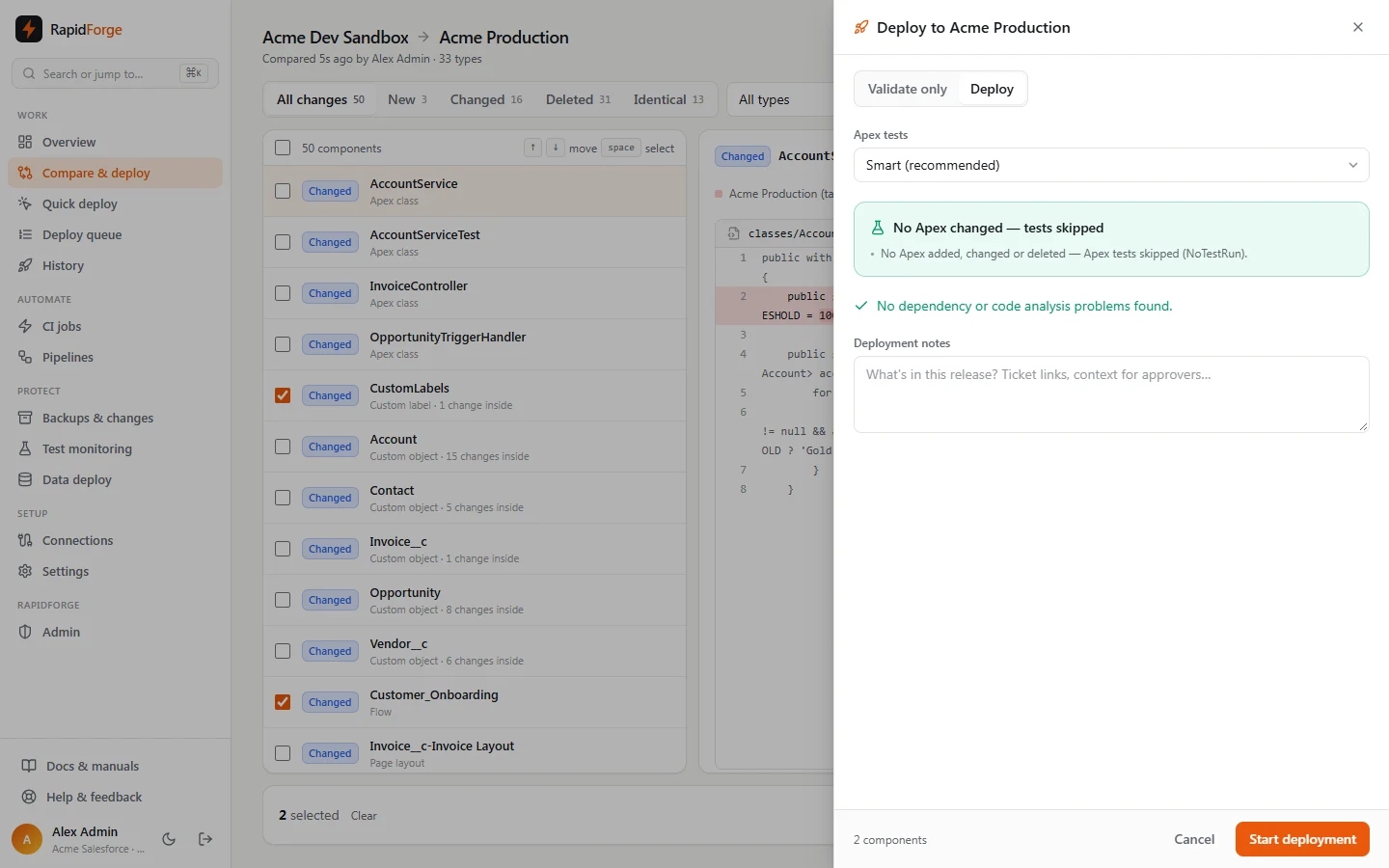
Log in with Salesforce or paste an SFDX auth URL, then connect GitHub, GitLab, Bitbucket or Azure DevOps.
See every difference, pick whole components or single changes, and let smart fixes make the package hold together.
Validate, deploy with only the tests that matter, and roll back in one click if something looks wrong.
Diffbridge is one Docker image with Postgres. Terraform runs it on the Oracle Cloud free tier, with nightly off-site backups and restore tests; it moves to AWS without code changes. Your org credentials never leave your network.
If a deployment adds, changes or deletes no Apex, it runs with NoTestRun, even into production. Apex that's identical to the target is dropped from the package first. When Apex does change, only the tests related to it run, with a fallback to RunLocalTests when production coverage requires it.
Each org has its own deployment queue. You choose per org whether every job runs, stale waiting jobs are skipped, or the latest push cancels the others and starts right away.
Yes. Smart fixes add missing dependencies and fields, clean up references to deleted items, strip profile entries for things the target lacks, and handle dozens of rarer cases. Every fix is listed with its reason and can be undone.
Yes: GitHub, GitLab, Bitbucket, Azure DevOps or any HTTPS remote, in source or metadata format. Compare org to org, git to org or org to git, run CI on pushes and pull requests, and promote through pipelines.
Yes. Diffbridge is one Docker image with Postgres. A Terraform setup runs it on the Oracle Cloud free tier, and it moves to AWS without code changes.
Org credentials are encrypted with AES-256-GCM under a key that belongs to your workspace alone. Add single sign-on, SCIM provisioning, an IP allowlist, per-org access and approvals for production.
Create a workspace, load the demo orgs, and run your first comparison in a couple of minutes.
Start free