Backups, test monitoring & data
Metadata snapshots and restores, scheduled tests, data seeding with masking, record backups and archiving.
Backups & change monitoring
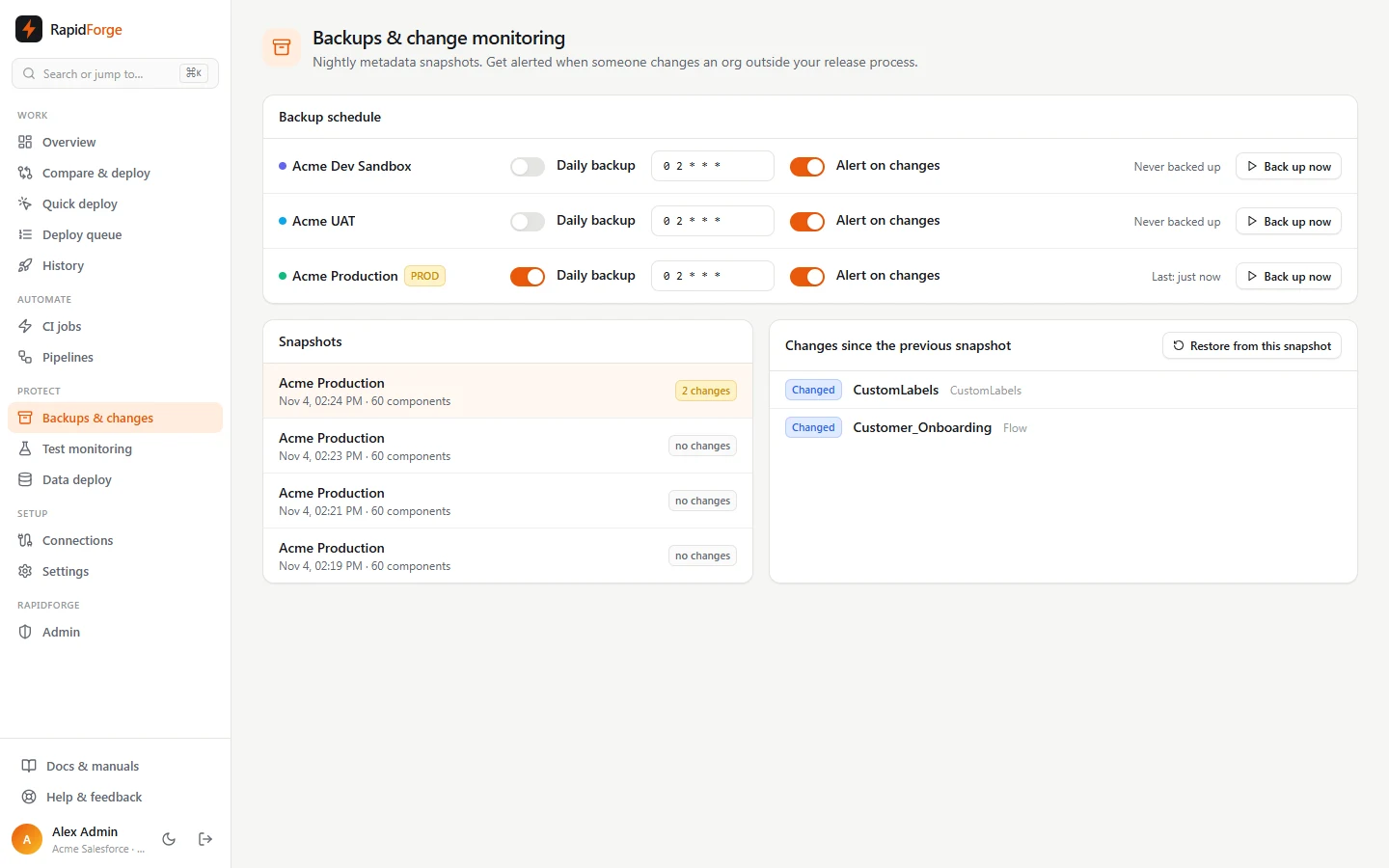
Backups & changes keeps metadata snapshots of your orgs and tells you when something changes outside your release process (for example someone editing a flow directly in production).
Schedule backups
For each org:
- Daily backup: turns the schedule on or off.
- Cron: when to run, in UTC (default
0 2 * * *, daily at 02:00). - Alert on changes: sends a
backup.changesnotification when a snapshot differs from the previous one. - Back up now: take a snapshot immediately.
Review changes
The Snapshots list shows each snapshot with its component count and how many changes it found. Select one to see exactly what was added, changed or removed since the snapshot before it.
Restore
Select a snapshot and click Restore from this snapshot. Diffbridge opens a comparison with the snapshot as the source and the org as the target. Pick what to restore and deploy it like any other change, so approvals, Smart tests and rollback all apply.
Unit test monitoring
Test monitoring runs all local Apex tests in an org on a schedule and tracks the results.
Each org card shows:
- Last result: passed, or the number failing,
- Org coverage: org-wide Apex coverage (red under 75%),
- a trend bar per run (height = coverage, red = failures),
- the failing test methods with their messages.
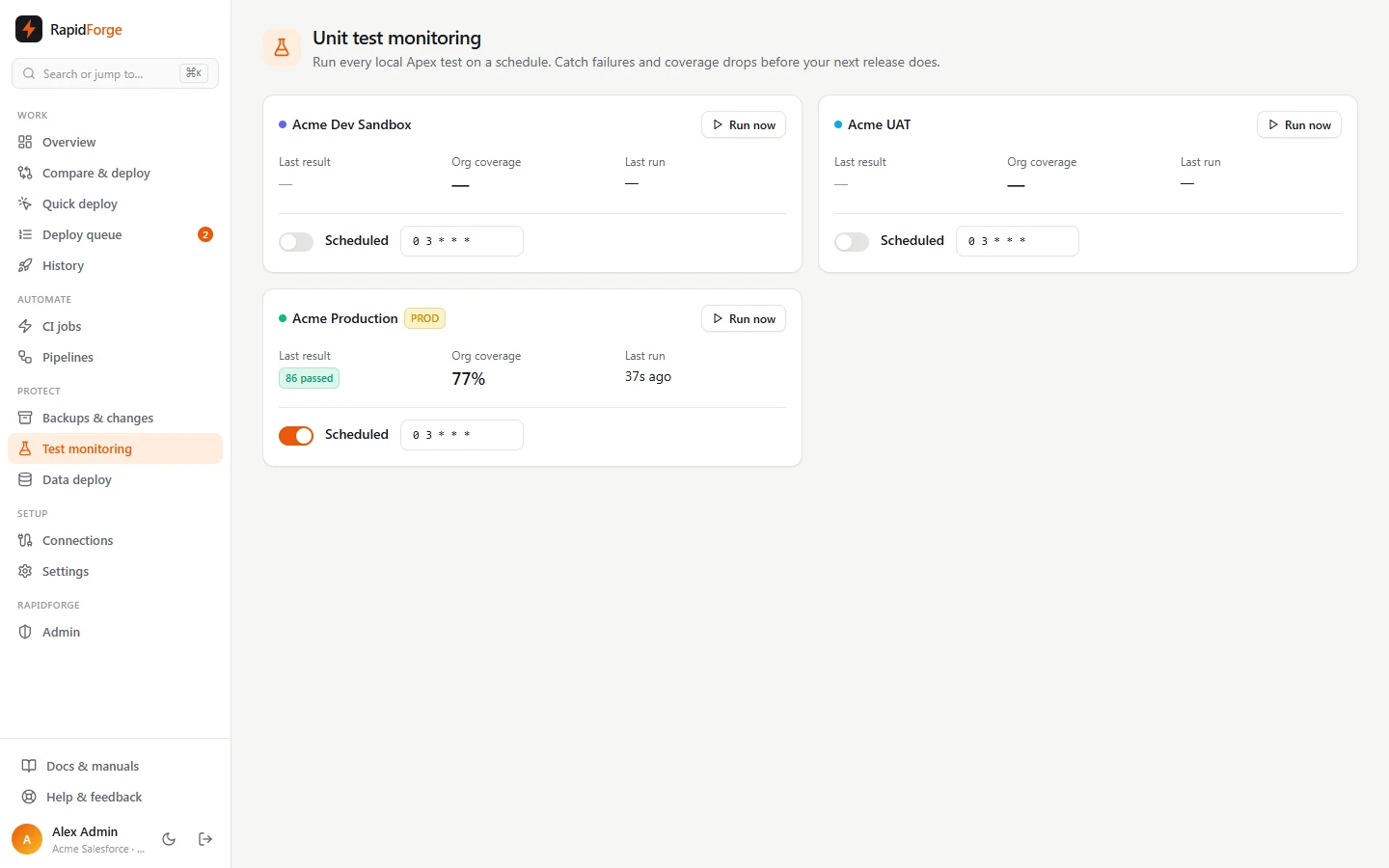
Turn on Scheduled and set a cron (default 0 3 * * *), or click Run now. Failures send a tests.failed notification.
Data deployments and sandbox seeding
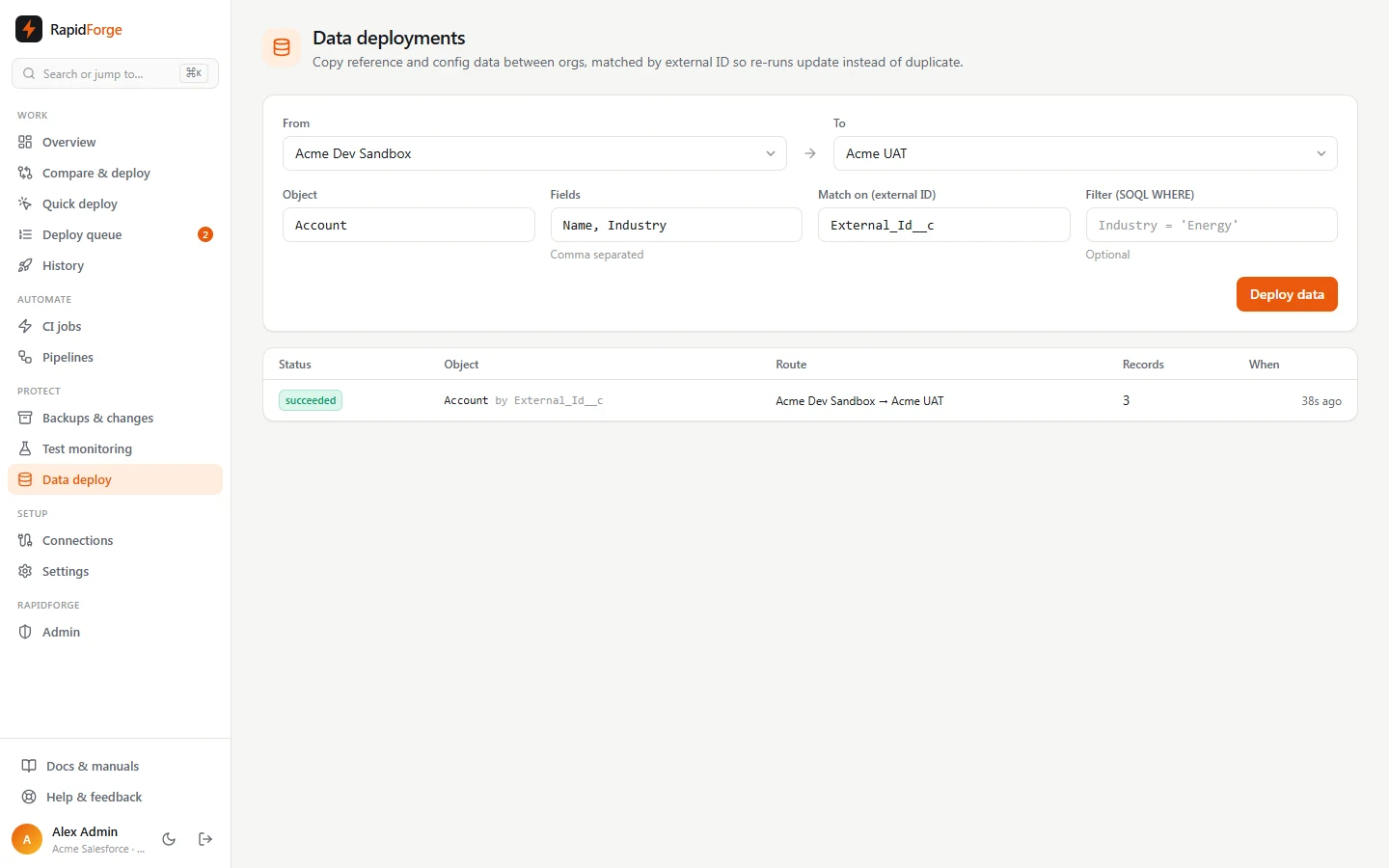
Data → Deploy & seed copies records between orgs: reference and configuration data, or a realistic slice of production for a sandbox.
- Choose From and To orgs.
- Add the objects in order, parents first (for example Account, then Contact, then Case). For
each: the Fields to copy, the Match on (external ID) field, and an optional Filter
(a SOQL
WHEREclause, e.g.Industry = 'Energy'). - Optionally mask fields: fake names, emails (
@example.invalid), phone numbers (555 numbers) or company names, scrambled text, a fixed value, or blank. - Click Deploy data.
How it works:
- Records are upserted on the external ID, so running the same job again updates records instead of duplicating them.
- Relationships: a lookup (like a Contact's
AccountId) to a record copied earlier in the same job is re-linked to that record in the target, through its external ID. Lookups to records that aren't part of the job (an owner, say) are left out and listed as warnings. - Masking happens before records leave the source, and is deterministic: the same real value always becomes the same fake one, so re-runs stay consistent. Don't mask the external ID field, or re-runs create new records.
- Save as template keeps the whole configuration (orgs, objects, fields, filters, masking) to re-run after every sandbox refresh.
The history table shows, per object, records read and written, lookups linked, values masked, warnings and the first errors.
Turn off automation while seeding (sandboxes only) deactivates the seeded objects' triggers, validation rules and record-triggered flows in the target, seeds, and turns them back on afterwards, also when seeding fails. The job lists what was switched off. Production is refused: deactivating triggers there needs a full test run.
Start from a preset fills in common configuration data, parents first:
- Accounts and contacts (masked).
- Salesforce CPQ configuration: products, features, options, price and product rules. CPQ objects
have no external IDs out of the box; add one to each (for example
External_Id__c). - Vlocity / Industries records in your namespace (
vlocity_cmt,vlocity_ins,vlocity_ps…): DataRaptors, OmniScripts, elements, UI templates and cards, keyed by their global keys. OmniStudio on standard objects is metadata instead: compare the OmniScript, OmniDataTransform, OmniIntegrationProcedure and OmniUiCard types.
Record backups
Data → Record backups saves every field of every record in the objects you choose, on a schedule (cron, UTC) or with Back up now.
- Each backup shows, per object, the record count and what was added, changed and deleted since the previous backup. Click an object to see the records, field by field.
- When records were deleted since the last backup you get an Org changes detected notification.
- Restore deleted records re-creates records that are missing from the org now (they get new IDs). Restore everything also puts changed records back to their backed-up values.
Archiving
Data → Archiving moves old records out of the org to save storage.
- New policy: the org, the object, and which records (a required SOQL filter, such as
CreatedDate < LAST_N_YEARS:2 AND Status = 'Completed', so a policy can never archive everything). Preview shows how many records match right now. - Run it with Run now, or turn on Scheduled.
- Every field of the matching records is copied to the archive first; only then are they deleted from Salesforce.
- Open an archive to see its records, and Restore all of them or the ones you tick.
Archives are kept for the policy's retention period (default 7 years; 0 keeps them forever), then purged.