Marketing Cloud
Snapshot assets and journeys, get notified of changes, and compare business units.
Diffbridge snapshots Marketing Cloud Engagement content and journeys, tells you what changed, and compares business units, such as a test business unit against production.
Connecting a business unit
- In Marketing Cloud, Setup → Apps → Installed Packages → New. Add an API Integration component of type Server-to-Server with read access to Documents and Images, Saved Content and Journeys.
- From the component, copy the client id, client secret and the subdomain from the
Authentication Base URI (
https://SUBDOMAIN.auth.marketingcloudapis.com). - In Diffbridge, Marketing Cloud → Connect, paste them, and add the business unit's MID if the package is shared across business units.
Diffbridge checks the credentials before saving. The secret is encrypted with your workspace key.
Enter demo as the subdomain (and dev or prod as the MID) to try it with sample data.
Snapshots
Snapshot now saves every Content Builder asset (emails, templates, content blocks, images) and every Journey Builder journey with its activities. Turn on daily snapshots when connecting to take one every day; you're notified when assets or journeys were added, changed or deleted since the day before. Each snapshot shows those counts.
Comparing
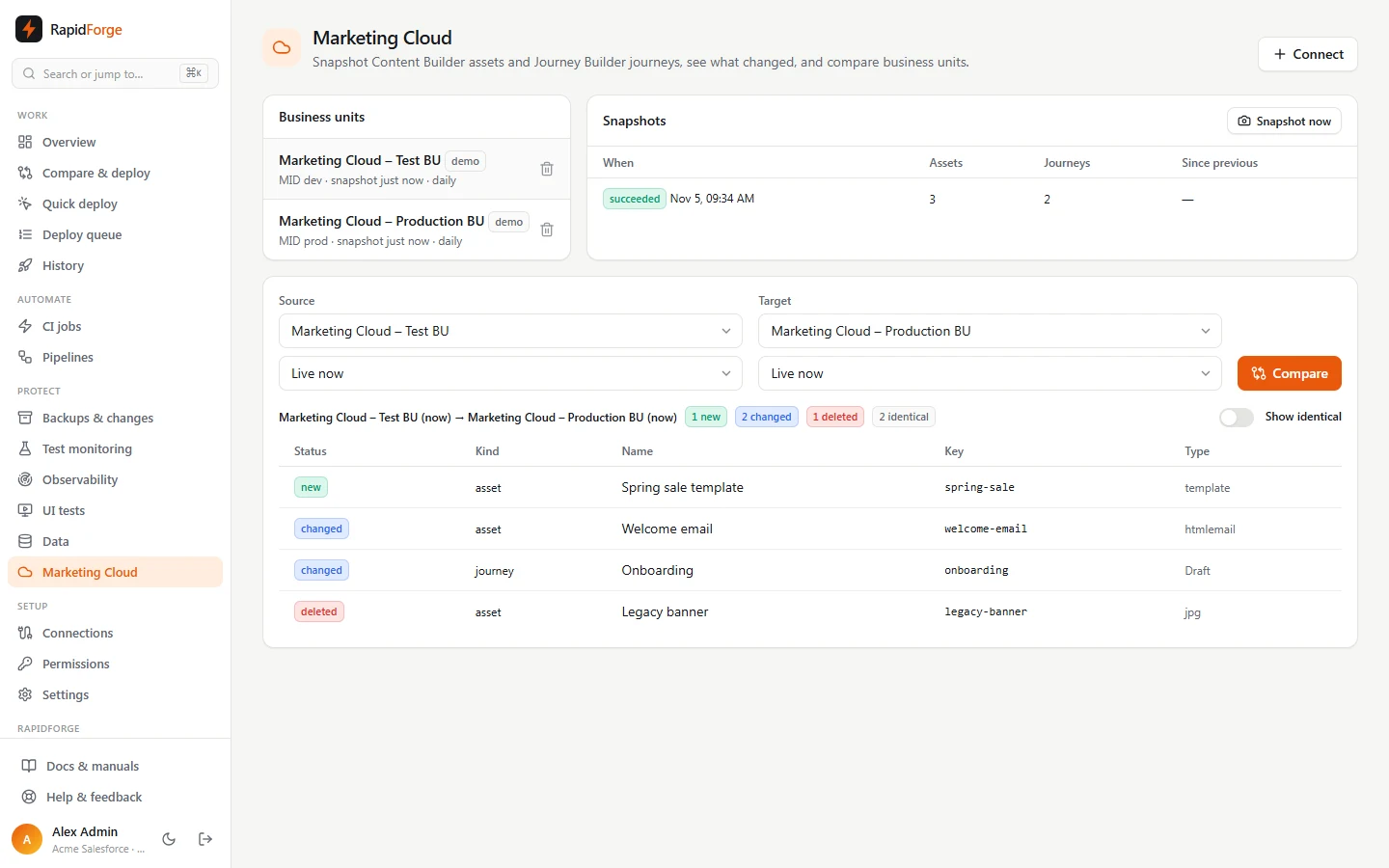
Pick a source and a target: a business unit right now, or one of its snapshots. Compare shows what's new, changed, deleted or identical, from the point of view of copying the source to the target. Assets match by customer key and journeys by key, so the same item in two business units lines up even though their ids differ. Ids, owners and modified dates are ignored. Click a row to see the definitions side by side.
Typical uses:
- Business unit drift: compare test with production before a release.
- What changed overnight: compare yesterday's snapshot with now.
- Recovery: open an older snapshot to see exactly what an asset or journey looked like.