Data protection: files, alerts & erasure
File and attachment backups, unusual-change alerts, right-to-erasure requests, archive storage and DataPacks.
These features build on record backups and archiving (see Backups, test monitoring & data).
Backing up files and attachments
In Data → Record backups, turn on Files & attachments. Each backup then also saves:
- Salesforce Files: the latest version of every file (ContentVersion), with its title, file name and the record it was first shared to.
- Attachments: classic attachments, with their parent record.
File contents are stored once per unique file, however many backups contain them, so daily backups of unchanged files cost no extra storage. Files over 200 MB are skipped and listed on the backup.
To restore, open the ContentVersion or Attachment object on a backup and choose Restore deleted records. Files come back with their content and are shared to their original record again when it still exists.
Alerts on unusual changes
Every backup compares each object's adds, changes and deletes with the object's recent backups. You're alerted when a change is both:
- large: at least the Alert at (%) share of the object's records (10% by default) and at least 5 records, and
- unusual for that object: well above what recent backups saw. An object that a nightly sync rewrites every night won't alert for doing that again.
Alerts show on the backup and go to your notification channels (Backup changes event). Set
Alert at to 0 to turn them off. For critical objects, run backups hourly with a schedule such as
0 * * * *.
Right to erasure (GDPR, CCPA)
When someone asks to be forgotten, admins use Data → Privacy:
- Enter what to match: usually their email address (any text field equal to it, ignoring case), and/or record ids.
- Leave Also records that point at them on to also remove records that refer to theirs through a lookup, such as their tasks and cases.
- Optionally pick an org and Also delete them from the org.
- Click Check. You see every backup and archive that holds matching records, and how many. Nothing changes yet.
- Click Erase.
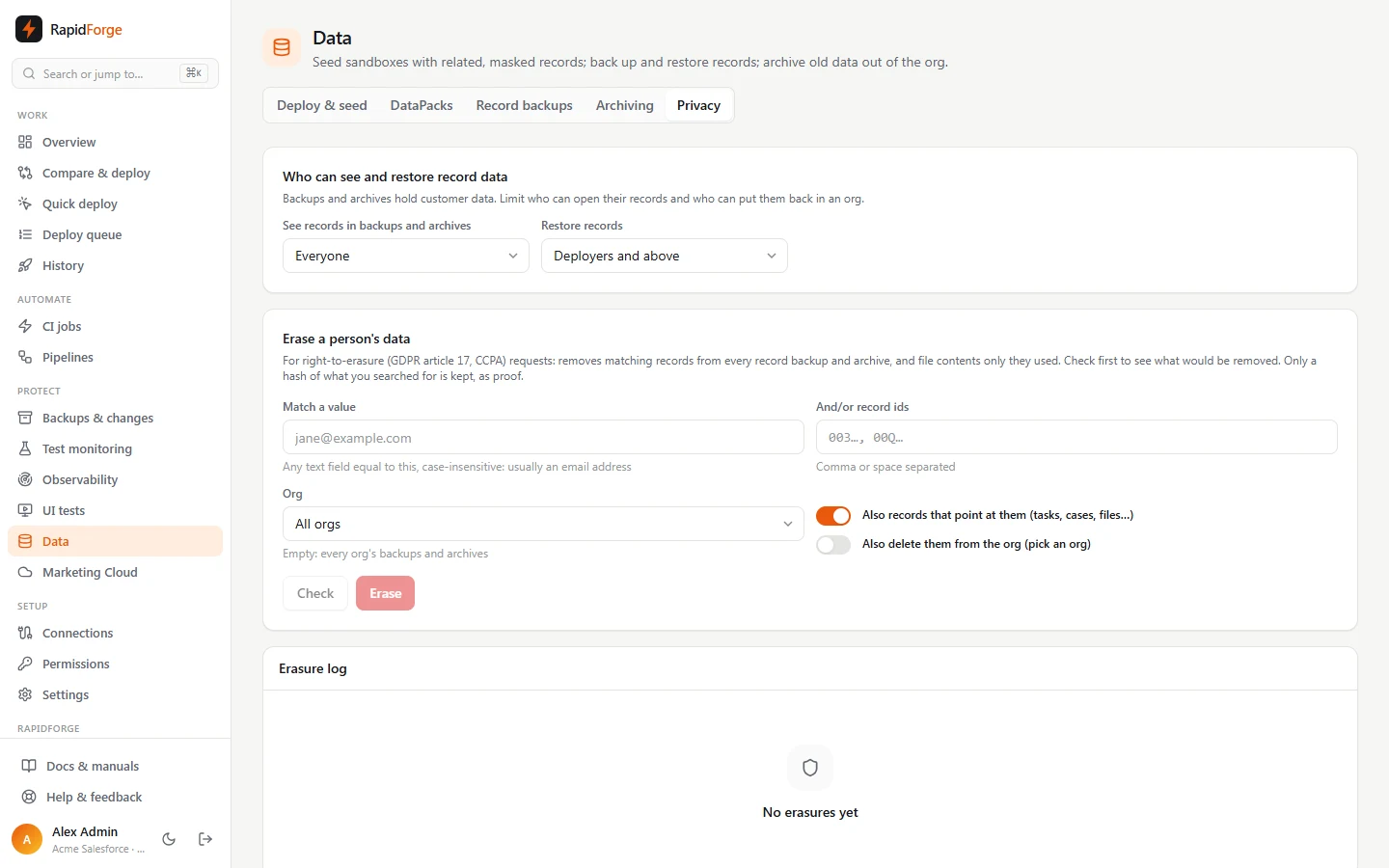
Matching records are removed from every record backup and archive, along with file contents only they used. The Erasure log keeps who did it, when and how much was removed, with a fingerprint (a SHA-256 hash) of what was searched for, but never the email address or ids themselves, so the log is proof without keeping the personal data.
Archive storage
Data → Archiving shows how many records you've archived per org and object, how many were restored, the size of the archives, and an estimate of the Salesforce data storage archiving freed (Salesforce counts most records as 2 KB).
Vlocity / OmniStudio DataPacks
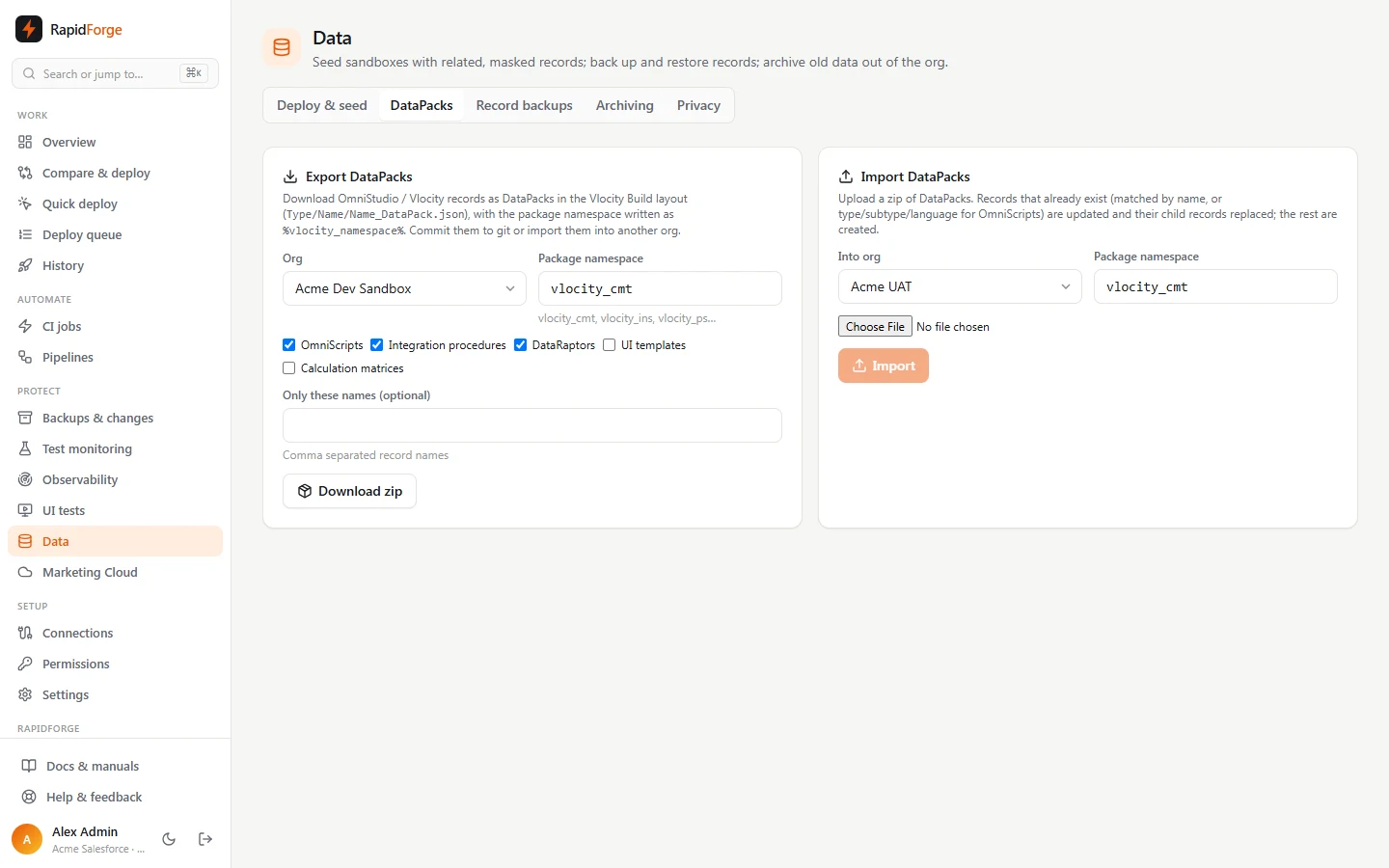
Data → DataPacks moves OmniStudio configuration between orgs and git:
- Export OmniScripts, integration procedures, DataRaptors, UI templates and calculation matrices
from an org as a zip in the Vlocity Build layout (
OmniScript/Name/Name_DataPack.json). Child records (elements, mapping items, matrix versions) are nested in their parent's file, ids and audit fields are left out, and the package namespace is written as%vlocity_namespace%. - Import a zip into any org and namespace (
vlocity_cmt,vlocity_ins,vlocity_ps…). Records that already exist are updated and their child records replaced; the rest are created.
For OmniStudio metadata (OmniScript, OmniIntegrationProcedure, OmniDataTransform, OmniUiCard), use compare and deploy as usual.