Deploy queue & superseding
One deployment per org at a time — and what happens when pushes arrive faster than that.
Salesforce runs one deployment per org at a time. Diffbridge gives every org its own lane on the Deploy queue page and decides what happens when new jobs arrive while one is running.
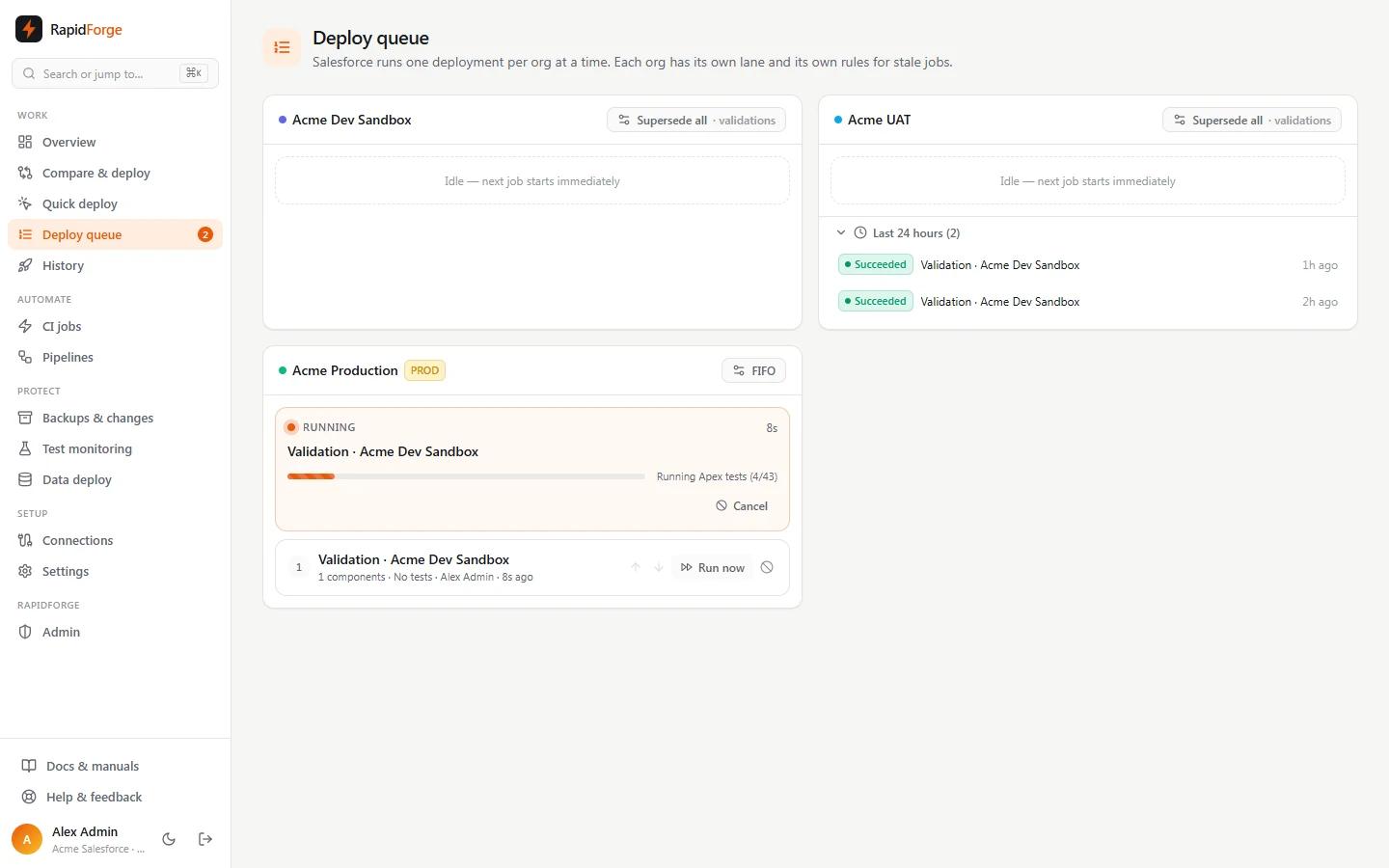
The queue page
Each lane shows:
- Running: the active job with live progress, elapsed time and Cancel. While a cancel is in progress the card turns amber (Cancelling).
- Waiting jobs in the order they'll run (numbered), with ↑/↓ to reorder, Run now, and cancel. Jobs waiting for approval are listed last with Approve.
- Last 24 hours: finished jobs. Superseded and cancelled jobs are struck through.
The sidebar badge counts running and waiting jobs across all orgs.
Queue policies
Click the policy button on a lane (owners/admins) to choose what happens when push 3 arrives while push 1 is running and push 2 is waiting:
| Policy | Result |
|---|---|
| Run every job (FIFO) | Push 1 finishes, then 2, then 3. Nothing is skipped. |
| Skip stale waiting jobs | Push 2 is dropped (superseded). Push 1 finishes, then push 3 runs. |
| Latest wins, right away | Push 1 is cancelled and push 2 dropped. Push 3 starts as soon as Salesforce confirms the cancel. |
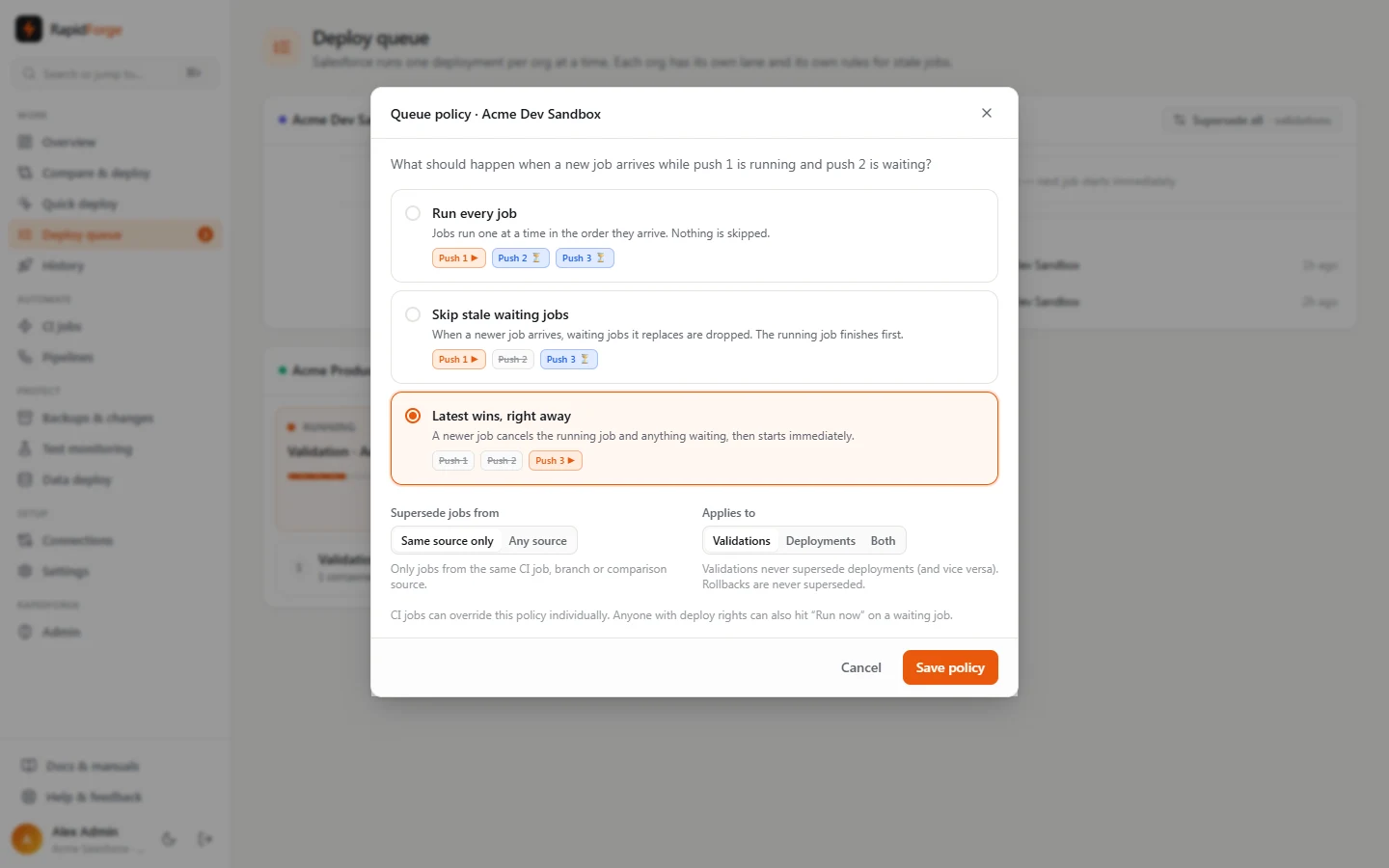
Two more settings refine superseding:
- Supersede jobs from
- Same source only: only jobs from the same CI job, branch or comparison source are replaced. A teammate's unrelated deployment to the same org is never touched.
- Any source: any newer job for this org replaces older ones of the same kind.
- Applies to: validations, deployments, or both.
Rules that always hold:
- A validation never supersedes a deployment, and vice versa.
- Rollbacks are never superseded.
- A job that replaces a waiting job takes its place in line, so it doesn't fall behind unrelated jobs that arrived later.
Recommended: Latest wins, right away for validations on CI orgs (only the newest commit matters), and Run every job for production deployments.
CI jobs can override their target org's policy; see CI jobs. Superseded jobs can trigger a notification (deployment.superseded).
Run now
Run now on a waiting job (on the queue page or the job's page) cancels the running job on that org and moves the chosen job to the front, whatever the policy. It's handy when an urgent fix shouldn't wait behind a long test run.
Reordering
Use ↑/↓ on waiting jobs to change the order. It only affects jobs that haven't started.
What "cancel" means in Salesforce
Cancelling a running deployment asks Salesforce to stop it. Nothing from a cancelled deployment is committed. Cancelling can take a little while if Salesforce is in the middle of running tests.