Admin panel
For Diffbridge operators: accounts, subscriptions, plans, users, log in as a user, and the support inbox.
The admin panel at /admin is for the people who run a Diffbridge installation, not for
workspace admins. It appears in the sidebar (under Diffbridge) only for platform admins, who
are the emails listed in the server's PLATFORM_ADMIN_EMAILS setting. Everyone else gets not
found. Every action here is recorded in the admin Audit log.
Overview
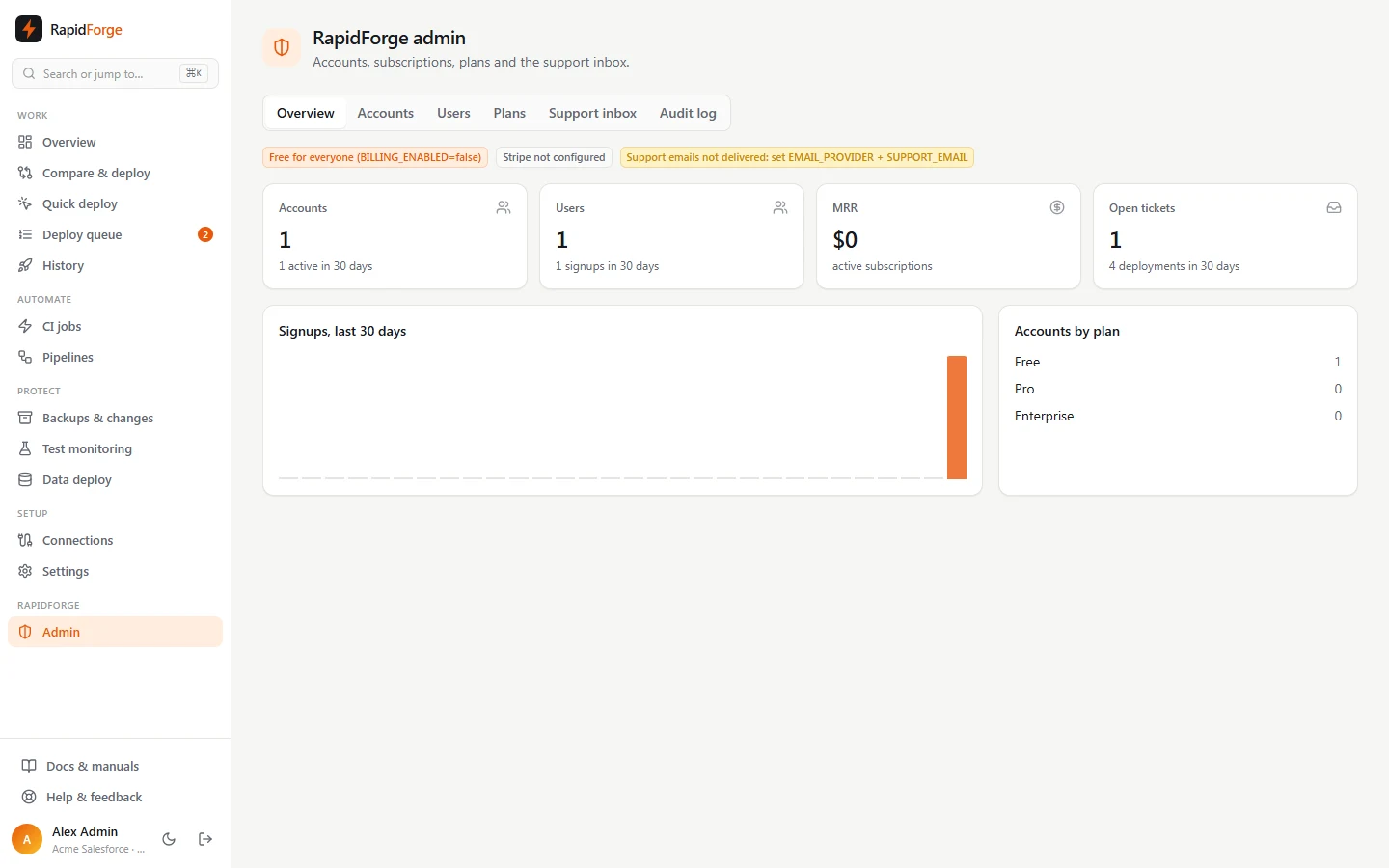
Totals and health at a glance:
- Accounts (workspaces) and how many were active in the last 30 days,
- Users and 30-day signups (with a daily chart),
- MRR from active and past-due subscriptions,
- Open tickets and 30-day deployments,
- Accounts by plan,
- configuration badges: whether billing is on, Stripe is connected, and support emails are being delivered.
Accounts
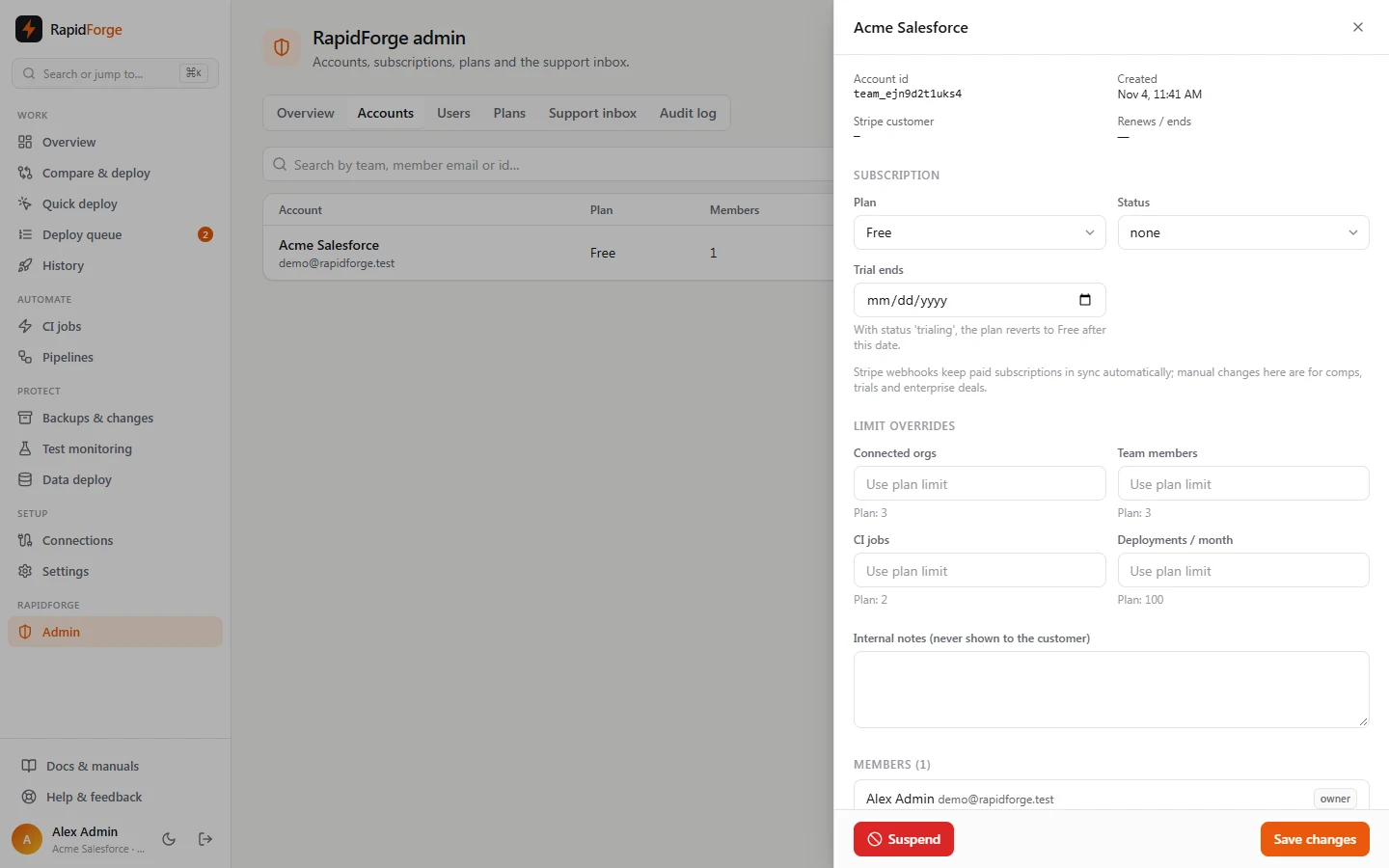
Search by team name, member email or id; filter by plan or status (including suspended). Click an account to open it:
- Subscription: change the Plan and Status, or set Trial ends (with status trialing, the plan reverts to Free after that date). Paid subscriptions are kept in sync by Stripe automatically; manual changes are for comps, trials and enterprise deals.
- Limit overrides: raise or lower any single limit for this account (type a number, or
unlimited). Leave a field empty to use the plan's limit, shown underneath. - Internal notes: private to admins.
- Members and Orgs: who's in the account and what they've connected.
- Suspend / Unsuspend: a suspended account can sign in, view data, reach billing and contact support, but every change is blocked.
- Delete account: permanently deletes the team and everything in it. Type the team name to confirm. You can't delete your own team here.
Users
Every user with their account, role, sign-in methods (password, Google, GitHub), pending invites and last login. Toggle Active to disable or re-enable a user; a disabled user is signed out of everything immediately.
Log in as a user
To troubleshoot a customer's problem, sign in as them. This only works for users who have granted support access (Settings → My account → Support access), and only while the grant lasts.
- Find the user on the Users tab (or in the account's Members list). The Support access column shows the level (view only or full), when it ends and the user's note; hover the button for the note.
- Click Log in as. You're taken to Diffbridge as that user, with a yellow Support session banner at the top.
- Click Exit to admin in the banner (or sign out) to return to your own session and the admin panel.
During a support session:
- View only grants block every change; full grants let you work as the user. Changes appear in the customer's audit log as Name (Diffbridge support).
- Password, sign-in methods, billing and the user's support access are always off limits, and the admin panel is hidden until you exit.
- The session ends after one hour, when the grant expires, or the moment the user revokes access. You're then returned to the admin panel automatically.
- The user is emailed when you sign in. Your audit log records user.login_as and user.login_as.end.
Plans
Each plan has a price per month, a Stripe price id (which enables self-service checkout), limits (orgs, members, CI jobs, deployments per month; empty = unlimited), features (backups, test monitoring, data deploy, pipelines), and two switches: Public (shown on the upgrade page) and Active (can be assigned). New plan adds one; plan ids can't be changed after creation.
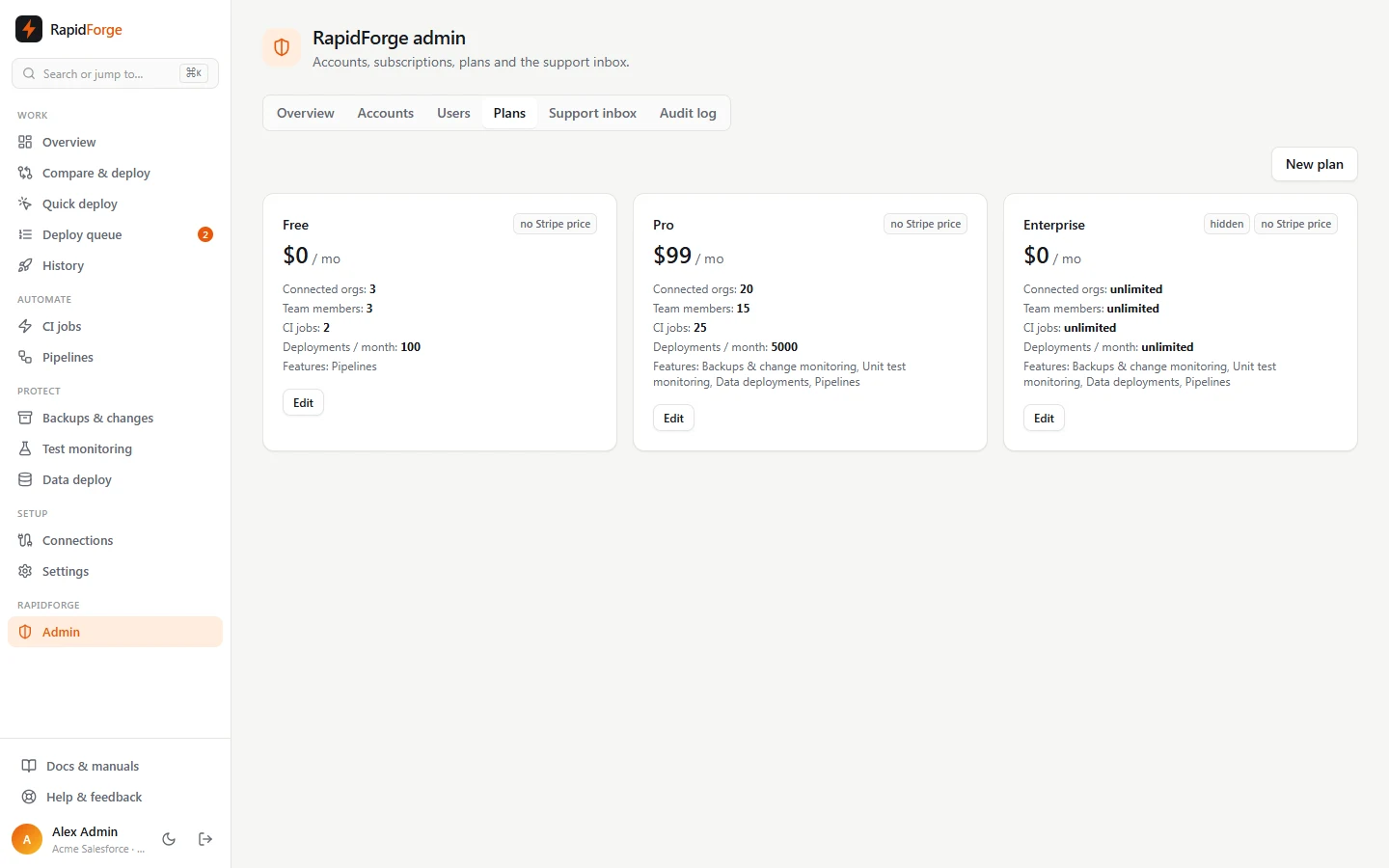
Limits and features are only enforced when billing is turned on. See Billing, sign-in & email setup.
Support inbox
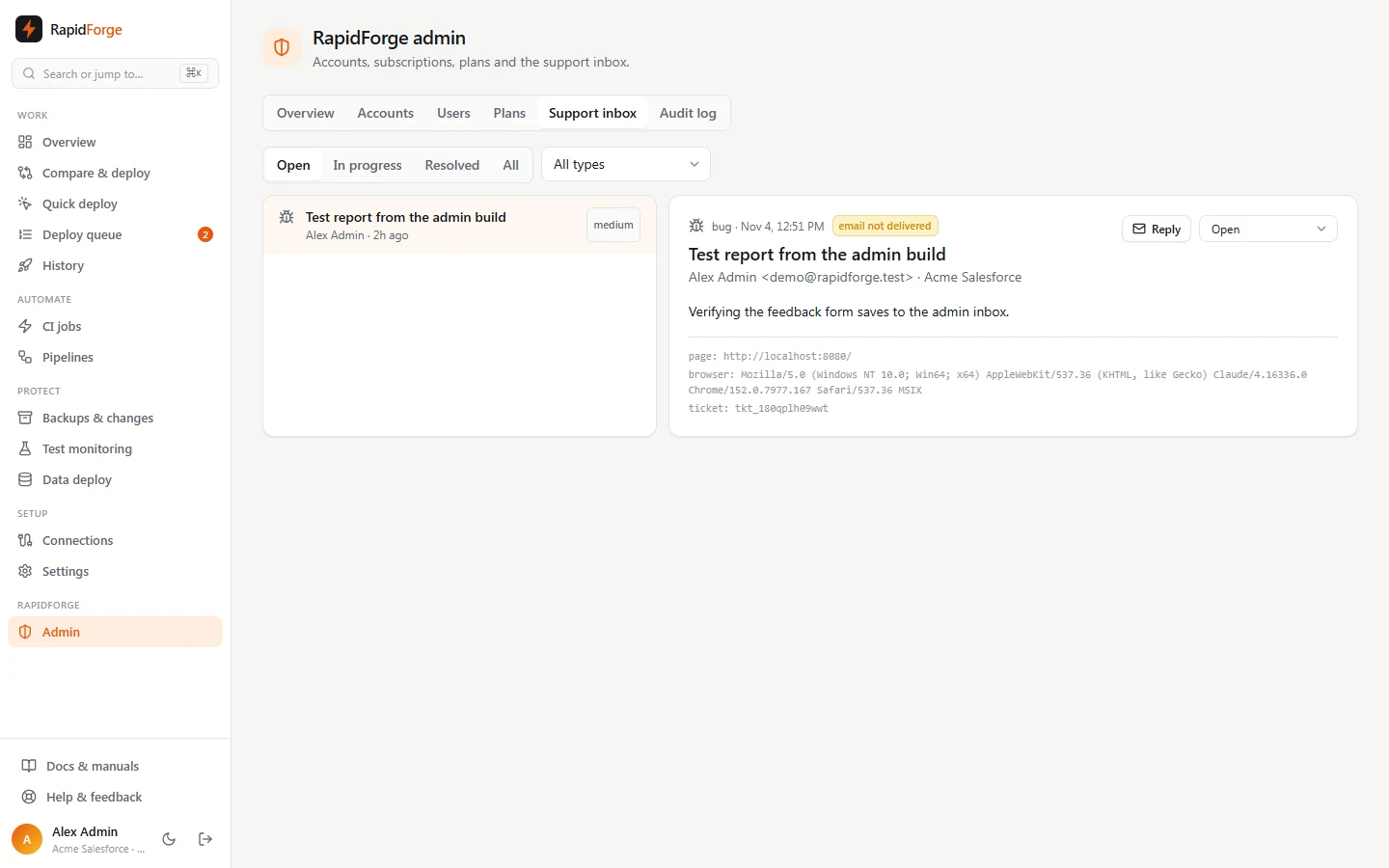
Every support request, suggestion and bug report, newest first. Filter by Open / In progress / Resolved / All and by type. Select a message to read it with the sender, their workspace, severity, page and browser.
- Reply opens your email client addressed to the sender.
- Set the status as you work through it.
- Email not delivered means the message is in the inbox but the notification email wasn't sent (usually email delivery isn't configured).
Audit log
Every admin action (account and plan changes, user changes, ticket status) and every Stripe-driven subscription change: who did it, what, and when.