Quick deploy
Pick components or single fields (or paste a package.xml) and deploy without a full comparison.
Quick deploy is for when you already know what to ship: a couple of classes, a flow, three
new fields on Account. You pick them from a searchable list (or paste a package.xml) and go
straight to Validate or Deploy, without reviewing a whole-org comparison.
Behind the scenes Diffbridge retrieves only the items you picked from the source and the target. That keeps it fast, and it means Smart tests, rollback snapshots, dependency checks and the deploy queue all still work exactly as they do for a normal deployment.
Pick what to deploy
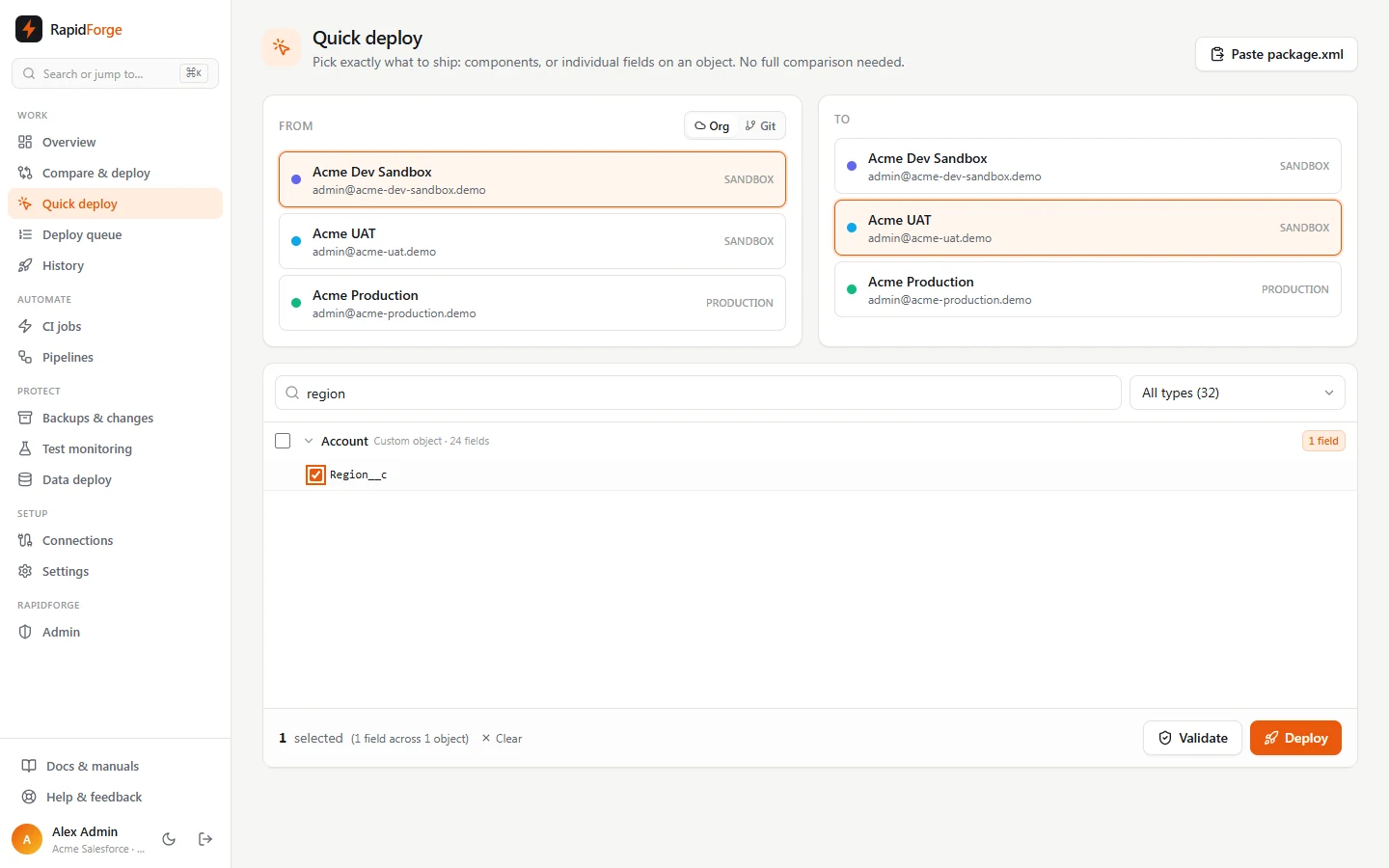
- Open Quick deploy in the sidebar.
- Choose From (an org or a git branch) and To (an org).
- The list shows every component in the source, grouped by name and type. Use:
- Search: matches component names, types and the fields inside objects. Searching
residencyshowsAccountexpanded to itsData_Residency__cfield. - Type filter: show only one metadata type (counts are shown per type).
- Search: matches component names, types and the fields inside objects. Searching
- Tick whole components, or click an object's name to expand it and tick individual fields.
- Ticking the whole object deploys every change in it; its field checkboxes are then locked.
- Ticking only some fields deploys just those fields, merged onto the target's version of the object. The object's other differences are left alone.
- The footer shows what's selected, for example 2 selected (2 fields across 1 object).
Paste a package.xml
Click Paste package.xml and paste a manifest:
<Package xmlns="http://soap.sforce.com/2006/04/metadata">
    <types>
        <members>AccountService</members>
        <members>AccountServiceTest</members>
        <name>ApexClass</name>
    </types>
    <types>
        <members>*</members>
        <name>Flow</name>
    </types>
    <types>
        <members>Account.Region__c</members>
        <name>CustomField</name>
    </types>
    <version>62.0</version>
</Package>
- A
*wildcard selects every component of that type in the source. CustomFieldmembers pick individual fields.- Names that aren't in the source are still selected and reported later as not found.
Validate or deploy
Click Validate or Deploy. Diffbridge retrieves the selection from both orgs (a few seconds), then opens the same deploy panel as a normal deployment, with the test plan, cherry-picked changes, dependency problems and queue information.
Before the panel opens, Diffbridge tidies the selection and tells you what it changed:
- components that are already identical in the target are left out,
- picked fields that already match the target are skipped,
- names not found in the source are skipped.
If nothing is left to deploy you'll see Everything you picked is already identical in the target.
Missing dependencies: because Quick deploy only retrieves your selection, it can only suggest adding dependencies you've already picked. If the panel reports a missing component, add it to your selection and press Validate again, or use a full comparison.