CI jobs
Validate or deploy automatically on every push or on a schedule.
A CI job compares a source (usually a git branch) with a target org and validates or deploys everything that changed, automatically, on every push or on a schedule.
Create a job
CI jobs → New CI job (owners/admins):
| Setting | Notes |
|---|---|
| Name | e.g. Validate main → UAT |
| Source | A git branch (typical) or an org |
| Target org | Where to validate or deploy |
| Apex tests | Smart by default; Specified tests lets you pick tests (leave empty to auto-pick related tests per run). See Apex tests |
| Action | Validate (check only) or Deploy |
| Trigger | On push (webhook), Schedule (cron, UTC), or Manual |
| When pushes arrive faster than runs finish | Use the target org's queue policy, or override it for this job |
| Deploy deletions | Also delete components that are missing from the source (off by default) |
| Enabled | Pause the job without deleting it |
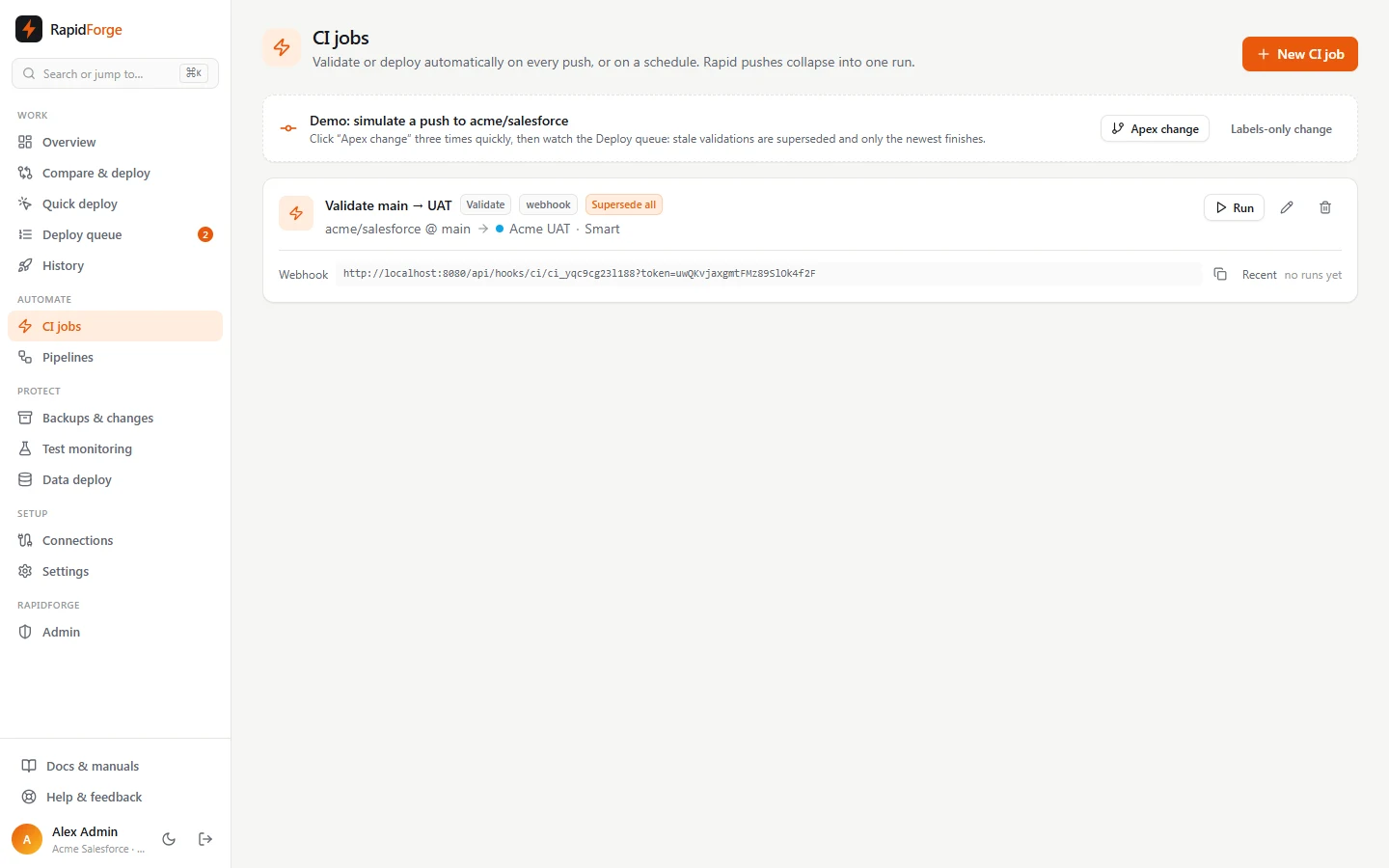
Each run compares source and target, selects every new and changed component (plus deleted ones if enabled), and queues a validation or deployment. Runs with nothing to deploy finish immediately as succeeded.
Webhooks (run on push)
Each webhook job shows its Webhook URL with a copy button. It looks like
https://<your-rapidforge>/api/hooks/ci/<job-id>?token=<secret>. Add it to your git provider:
- GitHub: Settings → Webhooks → Add webhook. Paste the URL as the Payload URL, set the content type to
application/json, and choose Just the push event. - GitLab: Settings → Webhooks. Paste the URL and tick Push events. You can also send the token as the Secret token (it's read from the
X-Gitlab-Tokenheader). - Bitbucket: Repository settings → Webhooks → Add webhook, with the Repository push trigger.
- Azure DevOps: Project settings → Service hooks → Web Hooks, with the Code pushed event.
- Anything else:
POSTJSON{"ref": "refs/heads/main", "sha": "<commit>"}to the URL. The token can also be sent as anX-RapidForge-Tokenheader.
Pushes to other branches are ignored (the response says why). A wrong token returns 404.
Pull request validation
Set Trigger to Pull request to validate every pull request before it's merged. The job's
source branch is the branch pull requests are opened into (for example main); the action is always
Validate.
- Add the job's Webhook URL to your git provider for pull request events: GitHub Pull requests, GitLab Merge request events, Bitbucket Pull request created/updated, Azure DevOps Pull request created/updated.
- On every new pull request and every push to one, Diffbridge compares the PR's branch with the target org and validates the changes, with smart tests and smart fixes like any other run.
- The result is posted back to the pull request as a status check named Diffbridge / <target org>
(pending, then success or failure, linking to the validation). This works for GitHub, GitLab,
Bitbucket Cloud and Azure DevOps repositories with an access token. Make it a required check to block merging broken metadata.
If you later rename the org, the check keeps its old name so a required check keeps matching; to change the name
on purpose, set it on the org (the API accepts
checkNameon the org).
Diffbridge also posts a code review on the pull request: one comment summarising every code
analysis issue in the change (built-in, PMD-equivalent and your own rules), and inline comments on
the changed lines that errors and warnings point at. GitHub reviews and GitLab merge request
discussions both work; inline comments map Apex, Lightning and other files to the repository's SFDX
layout (<source path>/main/default/…).
The check is named after the target org, so renaming an org renames the check. A branch protection rule that requires Diffbridge / Old name then waits forever. Diffbridge asks before renaming an org that pull request jobs validate against; after renaming, update the required check in your git provider.
Recipe: validate pull requests, deploy after merge
For one repository and one org (say main and Acme UAT), create two CI jobs:
- Validate PRs into main: Source
main, Target org Acme UAT, Trigger Pull request. Add its webhook to the repository for pull request events. - Deploy main: Source
main, Target org Acme UAT, Action Deploy, Trigger On push. Add its webhook for push events. - In GitHub (Settings → Branches → Branch protection rule for
main) or GitLab (Settings → Merge requests), require the status check Diffbridge / Acme UAT before merging. - Turn on Approvals for the target org if a person should release each deploy.
People then open a pull request, wait for the green check, and merge; the merge is a push to main, so the second
job deploys it. A Git branches (pull requests) pipeline creates both jobs for every
environment in one click.
Each pull request has its own lane: a new push to PR #12 supersedes PR #12's older validation, never another pull request's. Pull requests into other branches are ignored.
Rapid pushes
If three commits land in quick succession:
- Before comparing, a run checks whether a newer run of the same job is already waiting. If so, and the job's queue policy isn't Run every job, the stale run is skipped.
- In the queue, the job's policy decides what happens to validations already waiting or running. With Latest wins, right away, the older ones are cancelled and the newest starts immediately. See Deploy queue & superseding.
The job card's Recent strip shows the last runs as coloured bars (green succeeded, red failed, grey superseded or cancelled); hover for the commit, click to open one.
UI tests after a run
Set UI tests after a successful run to a webhook of your UI testing tool (Provar, a Selenium grid, Tricentis, Testsigma, or your own CI job). When the job's validation or deployment succeeds, Diffbridge POSTs:
{
  "event": "rapidforge.deployment.succeeded",
  "deploymentId": "dep_…",
  "org": { "name": "Acme UAT", "instanceUrl": "https://…", "kind": "sandbox" },
  "commit": "…",
  "callbackUrl": "https://<your-rapidforge>/api/hooks/ui-tests/dep_…?token=…"
}
With a signing secret, the request carries X-RapidForge-Signature: sha256=<HMAC of the body>.
When the tests finish, the tool POSTs { "status": "passed" | "failed", "summary": "…", "url": "…", "passed": 38, "failed": 2 } to the callback URL. The result shows on the deployment, failures send a
CI job failed notification, and for pull request validations it's posted as a second status
check, Diffbridge UI tests / <org>.
Schedules
Pick Schedule and enter a 5-field cron expression in UTC: minute hour day month weekday.
| Example | Runs |
|---|---|
0 * * * * |
every hour |
*/15 * * * * |
every 15 minutes |
0 2 * * * |
daily at 02:00 UTC |
0 9 * * 1-5 |
weekdays at 09:00 UTC |
Demo: simulate a push
With a demo:// repository, the CI page shows Apex change and Labels-only change buttons. Each one makes a commit and fires the webhook for every job watching that branch. Click Apex change three times quickly, then watch the Deploy queue: the first two validations are superseded and only the newest finishes.
Run manually
Run on a job card starts a run now, whatever its trigger.