Team, roles & notifications
Invite people, roles and approvals, code analysis rules, Slack/Teams alerts, audit log.
Workspace settings live under Settings.
Members & roles
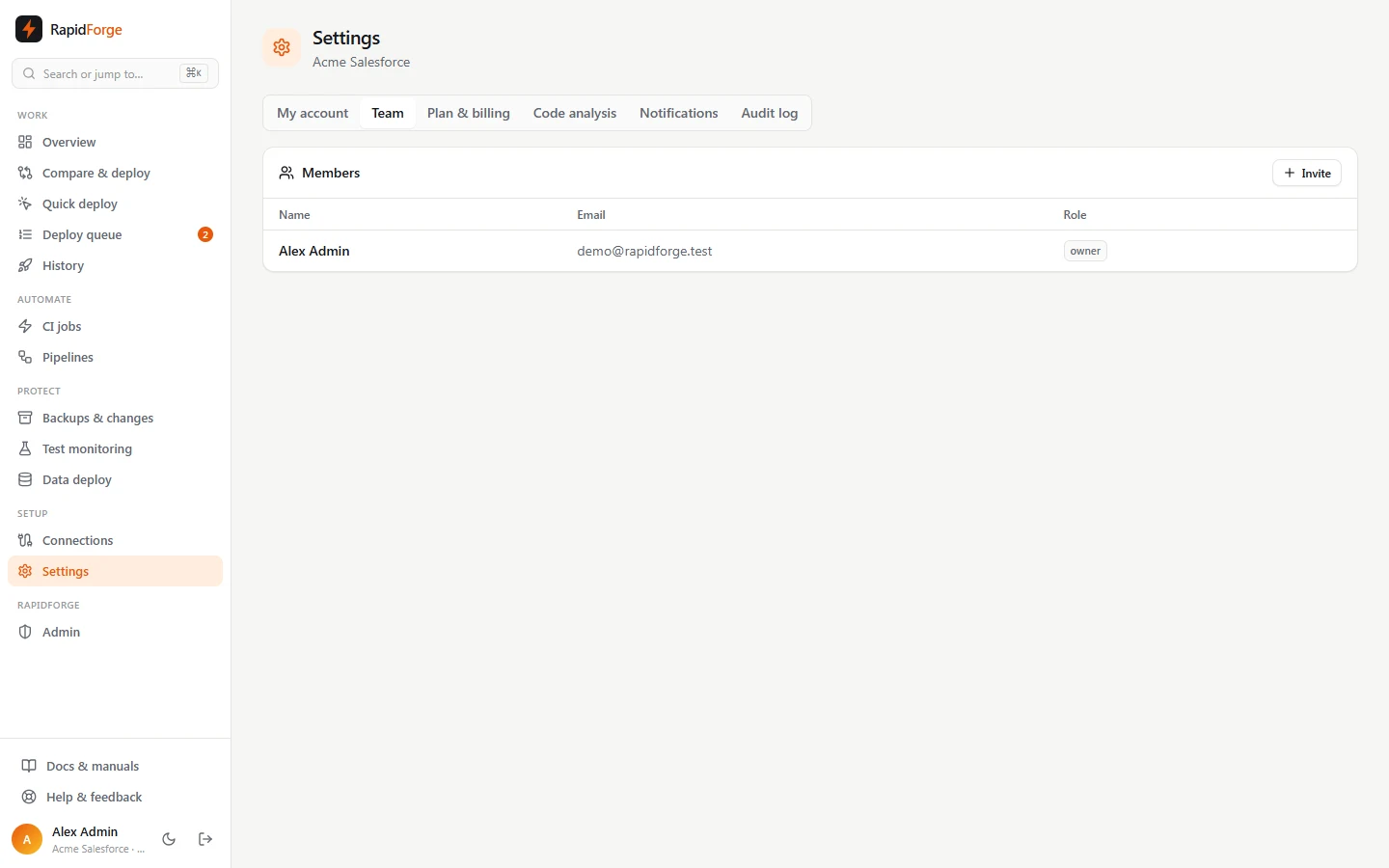
Settings → Team lists everyone in the workspace. Owners and admins can Invite: enter an email and role, then send the one-time link that appears. Invitees can open the link, or simply sign in with Google/GitHub using the invited email address.
| Role | Can |
|---|---|
| Owner | Everything, including managing owners and billing |
| Admin | Connections, CI jobs, pipelines, queue policies, settings, notifications; approve deployments |
| Deployer | Compare, validate and deploy; deployments to orgs with Approvals on wait for an owner/admin |
| Viewer | Read-only |
Admins can change roles and remove members. You can't change your own role or remove yourself.
Approvals
Turn on Approvals for an org under Connections. Deployments (not validations) to that org by deployers then wait as Needs approval until an owner or admin clicks Approve (on the deployment or in the queue) or Reject. Owners' and admins' own deployments don't need approval. Approval requests send a deployment.awaiting_approval notification.
Code analysis
Settings → Code analysis lists the rules that run on every comparison and deployment, each with a severity:
| Rule | Severity |
|---|---|
| SOQL inside a loop | error |
| DML inside a loop | error |
| Hard-coded record ID | warning |
| Missing sharing declaration | warning |
| Empty catch block | warning |
| Test without assertions | warning |
SeeAllData=true |
warning |
| Hard-coded Salesforce URL | warning |
System.debug left in code |
info |
| Logic in trigger body | info |
console.log in component |
info |
| Flow on an old API version | info |
On top of these, a PMD-equivalent rule set (ids starting pmd-) runs on Apex, Lightning,
Visualforce, flows and permissions:
| Area | Rules |
|---|---|
| Security | SOQL injection, DML without CRUD/FLS checks, insecure http endpoints, manual Authorization headers, hard-coded crypto keys, unescaped URL parameters, open redirects, unescaped Visualforce output, DML on page load, eval, innerHTML, Modify/View All Data |
| Performance | Emails, describes, callouts and async jobs in loops; complex methods; deep nesting; very long classes; too many parameters |
| Error-prone | Empty ifs, missing braces, testMethod, debug without a logging level, unnecessary global |
| Conventions | Class and method naming |
When the server has the real PMD installed (PMD_PATH), it runs on new and
changed Apex instead, and its findings (ids starting pmd:, such as pmd:ApexCRUDViolation) replace
the built-in Apex rules that imitate it. The other rules keep running. You can turn PMD rules off here
like any other rule.
| Flows | Data and action elements without a fault path, hard-coded IDs |
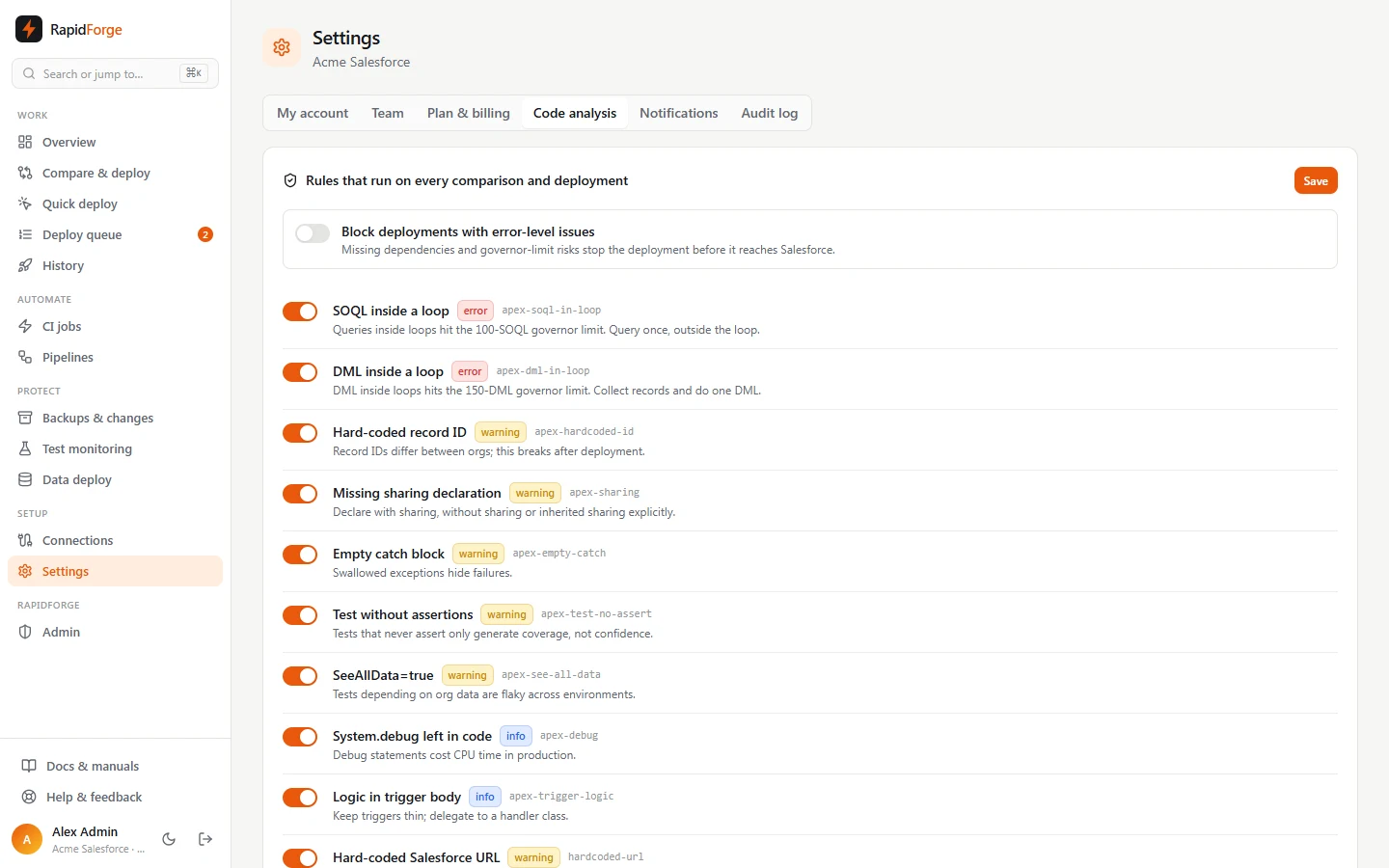
Switch rules off individually. Block deployments with error-level issues stops a deployment before it reaches Salesforce when an error-level issue (including missing dependencies) is found.
Your own rules
Below the built-in rules, Add rule creates a team rule: a title, a severity, the metadata types it checks (empty means every type), a regular expression, and the message to show. Tick Ignore comments to skip Apex/JavaScript comments. Try it on a sample shows whether a snippet matches. Custom rules run with the built-in ones on every comparison, preview and CI run, can be switched off the same way, and error-level rules can block deployments.
Notifications
Settings → Notifications → Add channel: choose Slack, Microsoft Teams or Webhook (JSON), paste the incoming-webhook URL (stored encrypted, shown masked), and choose events:
| Event | When |
|---|---|
| Deployment succeeded / failed | A validation, deployment or rollback finishes |
| Job superseded | A newer job replaced a waiting or running one |
| Approval needed | A deployment is waiting for approval |
| CI job failed | A CI-triggered job failed |
| Org changes detected | A backup found changes since the previous snapshot |
| Apex tests failing | Scheduled test monitoring found failures |
Use Test to send a sample message.
Integrations
Settings → Integrations connects work tracking:
Jira: your site URL, the email of the account that owns the API token, and the API token. Optionally limit linking to some project keys.
Azure DevOps Boards: the organization URL, the project, and a personal access token with Work Items: read & write.
Linear: the team keys to link (Linear issue keys look like Jira's, so only the teams you list are linked), optionally your workspace URL name, and a personal API key.
Asana: a personal access token, and optionally a project for new tasks.
Diffbridge finds work items in deployment notes, branch names, commit messages and pull request
titles (Jira keys like SF-123, Azure DevOps references like AB#123, Linear keys like ENG-7, and
Asana task links), shows them on the deployment,
and comments on each one when the deployment finishes. Test checks the credentials. Tokens are
stored encrypted and never shown again.
Single sign-on (SAML)
Settings → Single sign-on (owners) connects an identity provider: Okta, Microsoft Entra ID, Google Workspace, OneLogin or any SAML 2.0 provider.
- In the identity provider, create a SAML app with the Entity ID / Audience and ACS URL shown (or import the SP metadata). Send the user's email as the Name ID.
- Paste the provider's SSO URL and signing certificate, and list your email domains.
- Turn on Single sign-on.
People then click Sign in with SSO on the sign-in page and enter their work email. Options:
- Create accounts on first sign-in: anyone the identity provider lets in gets an account with the role you choose. Off: only invited people can sign in (an invite is accepted by signing in).
- Require single sign-on: password and Google/GitHub sign-in stop working for everyone except owners, who keep their password in case the identity provider is down.
Assertions must be signed by the configured certificate and addressed to this workspace; anything else is rejected.
Audit log
Settings → Audit log (owners/admins) records who did what: connections, deployments, approvals, cancellations, role changes, settings and more.